
Summary
Connects Claude to your actual Chrome browser with your existing sessions, cookies, and logins intact. Provides 34 tools covering navigation, form filling, clicking, scrolling, iframe handling, and CAPTCHA solving. The standout features are multi-session support (10 concurrent AI conversations, each with color-coded tab groups), human-in-the-loop prompts for 2FA and credential input via browser_ask_user, and a CORS-bypassing browser_fetch that runs requests from the extension background. Also ships with integrations for extracting API tokens from Stripe, HubSpot, Slack, and six other provider dashboards. Requires a one-time manual extension load in Chrome, then communicates over WebSocket on ports 9876-9885.


Keeps your Mac awake while Claude Code, Codex or Cursor works. Lets it sleep when they are done.
Try free for 7 days →

Block distracting apps from your iPhone permanently without a 3rd party app. Free and open source.
Block now (100% free) →
Notes, actions and memory. Without a meeting bot. First month 100% off.
Download for free →
belt cli automatically finds the best tools and skills for your agent. image, video, music, tts...
one prompt install →
Free an open-source skills that make AI coding agents easier to understand, verify, and control.
Download for free →

Connect your Claude agent to live crypto prices and trading routes via 1inch
Get the MCP →Browser MCP by Agent360
The browser tool that can stop and ask you. A 2FA code, a CAPTCHA, a choice only you can make: it asks on your own screen, then carries on in the same signed-in Chrome.
It drives the Chrome you are already signed into: no login step to fail, no API key to wire up, no fresh profile that is a stranger to every account you have. Up to 20 agents at once, each in its own colour-coded tab group. 40 tools, MIT, runs on your machine.
→ What it can and cannot get past - every wall, marked measured, by design, not yet, or won't. Including the ones we have not fixed.









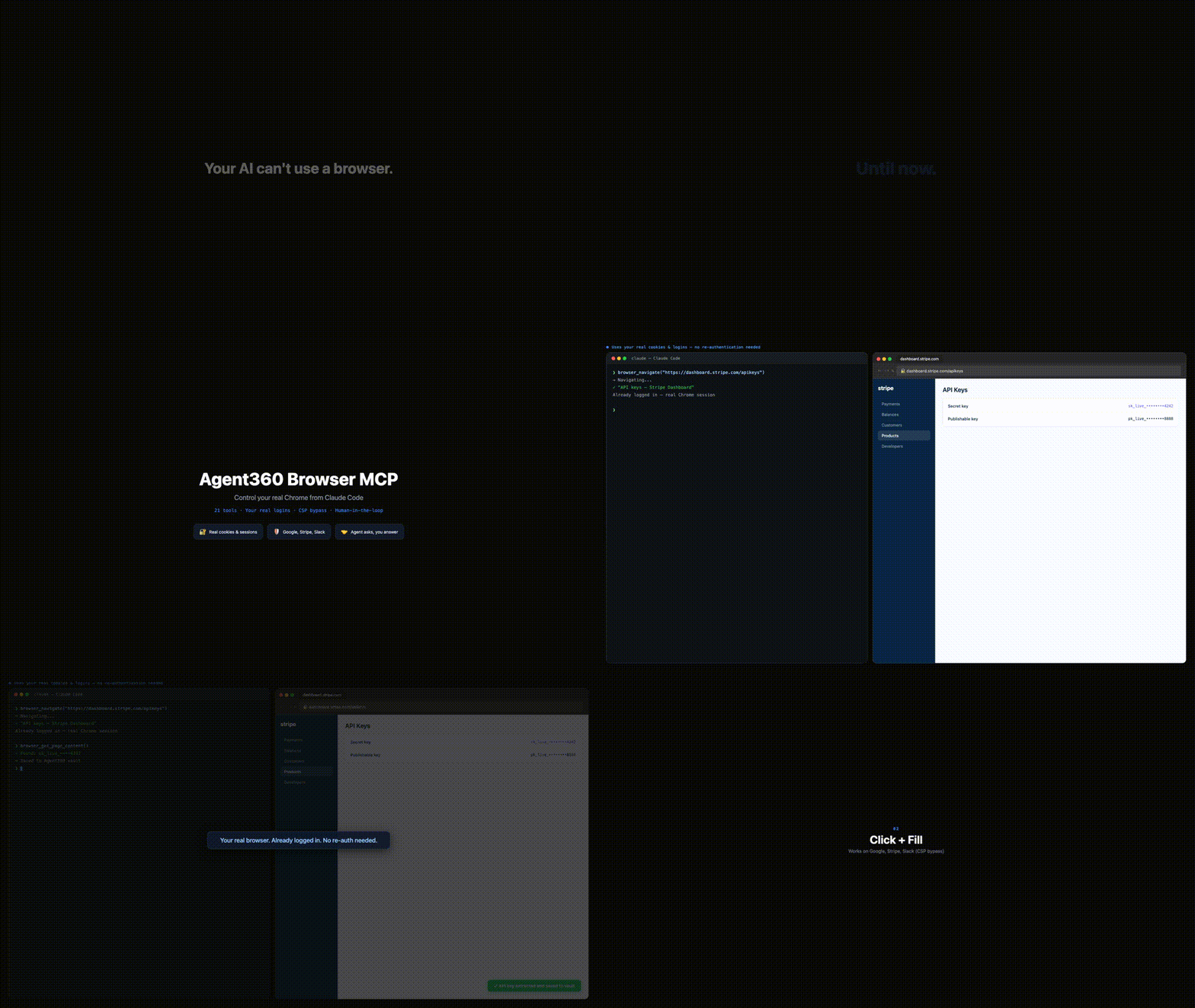
Browser MCP gives Claude Code (and MCP clients that run local servers, such as Cursor and VS Code agent mode) control of your actual Chrome: your cookies, your sessions, your 2FA. So it works on CAPTCHA, 2FA and anti-bot sites where Playwright and Puppeteer get blocked - because it's you browsing.
The killer move: it hits a login wall, opens your Gmail, reads the verification code, and continues the sign-in. There is no email API to set up. Operate platforms with no API, QA your own web app end-to-end, or work dashboards, LinkedIn and Reddit at human pace - with you approving the sensitive steps.
40 tools. Auto-clicks the reCAPTCHA v2 checkbox, with a human fallback for the rest. Multi-session color-coded tab groups. MIT, free, and it runs on your machine - no account, no telemetry, nothing sent to us.
The whole thing, in four steps
Rather not do it by hand? Paste this to your AI assistant - Claude Code, Cursor, Codex, VS Code, Windsurf, Cline - and it sets itself up:
Set up Browser MCP for me. Read https://browsermcp.dev/llms-install.md and follow it for whichever AI client you are running in. One step only I can do - tell me which one, and wait for me. When I confirm, call
browser_list_tabsto prove both halves are talking.If you cannot open URLs:
npx @agent360/browser-mcp install
It reads the same guide the four steps below spell out by hand. One step stays yours either way: Chrome will not let an extension install itself, so you load it once.
1 - Install the Chrome extension. One click from the Chrome Web Store; Chrome keeps it updated. No store? See the unpacked install below.
2 - Add the MCP server. Paste this in a terminal. Required - the extension does nothing on its own:
claude mcp add --scope user browser-mcp -- npx @agent360/browser-mcp@latest
3 - Restart Claude Code. That is what starts the server. The extension shows no badge until step 4 - the server only takes a port the first time your agent actually uses the browser. A green badge with the number of connected agents appears then; nothing on the icon before that is normal. (The icon itself never changes colour - it is the badge that turns green.)
4 - Say this, to check it worked. Paste it to Claude Code:
Open example.com and take a screenshot.
You get an image back instead of "I don't have browser access". That's it - you're running. → What else to say
Using Cursor, VS Code, Codex or Windsurf? Same server, that client's own config - the prompt at the top handles it, or see browsermcp.dev/docs. Everything below is the long version.
The long version - install, step by step
Browser MCP is two halves and you need both: a Chrome extension (drives the browser) and a local MCP server (what your agent actually talks to). Installing only the extension - e.g. straight from the Chrome Web Store - leaves it stuck on "Not connected", because there is no server for it to reach. Chrome cannot install the server, and npm cannot install the extension. Hence two steps.
Step 1: Register the MCP server with Claude Code
claude mcp add --scope user browser-mcp -- npx @agent360/browser-mcp@latest
That is Claude Code's own MCP command, so the entry lands in the config Claude Code actually reads. --scope user makes it available in every project.
Want the extension files on disk for the unpacked install in Step 2? Also run:
npx @agent360/browser-mcp install
It copies the extension to ~/.browser-mcp/extension/ and prints that path in the terminal - copy it. (It also registers the server with Claude Code, Codex, VS Code and Cursor if it finds them.)
Step 2: Load the extension in Chrome
Chrome won't let extensions install themselves from npm - you load it manually one time. To update later, re-run the install command and reload it (see Keeping it updated). Prefer the Chrome Web Store install if you'd rather have the extension auto-update.
- Open Chrome and type
chrome://extensionsin the address bar - Toggle "Developer mode" ON (top right corner)
- Click "Load unpacked" (top left, next to "Pack extension")
- Navigate to
~/.browser-mcp/extension/and click "Select"- On Mac: Press
Cmd+Shift+Gin the file picker, paste~/.browser-mcp/extension/, press Enter - On Windows: Paste
%USERPROFILE%\.browser-mcp\extension\in the address bar (Windows is not yet verified: our automated tests do not pass there) - On Linux: Type
~/.browser-mcp/extension/in the path field
- On Mac: Press
- Restart Claude Code so it picks up the new MCP server
That's it. The Browser MCP icon will appear in your toolbar, and 40 browser tools are now available in Claude Code.
Alternative: Manual zip download (no npm)
If you don't want to use npm, download the extension directly:
- Download the extension zip (
agent360-browser-mcp-<version>.zip) from the latest GitHub release - Unzip the file (anywhere - e.g.
~/Downloads/browser-mcp-extension/) - Follow Step 2 above, but select the unzipped folder instead of
~/.browser-mcp/extension/ - Register the server - run
claude mcp add --scope user browser-mcp -- npx @agent360/browser-mcp@latest, or add this to~/.claude.jsonby hand:{ "mcpServers": { "browser-mcp": { "command": "npx", "args": ["@agent360/browser-mcp@latest"] } } }
Chrome Web Store (no Developer mode, auto-updating extension)
This replaces Step 2 only - you still need Step 1.
- Install the extension from the Chrome Web Store → - no Developer mode toggle, and Chrome keeps it updated for you.
- Register the MCP server:
(For Cursor / VS Code / Codex, use that client's own MCP config instead - see browsermcp.dev/docs.)claude mcp add --scope user browser-mcp -- npx @agent360/browser-mcp@latest - Restart Claude Code.
Skip step 2 and the extension icon will sit on "Not connected" forever - that is the symptom of a missing MCP server, not a broken extension.
You're in. Now what?
Nothing happens until you ask, and the hardest part of a new tool is knowing what to ask for. Paste one of these to your agent (where it says example.com, put your own site):
| Say this | What it shows |
|---|---|
| "Open example.com and take a screenshot." | Start here. An image back instead of "I don't have browser access" means both halves are talking. That is the whole install test. |
| "Open Gmail and tell me who sent my last 3 emails." | The one that shows the difference - it works because it is your browser, already signed in. A fresh headless browser would hit a login wall here. |
| "Go to my analytics dashboard, pull this month's numbers, and put them in a table." | A dashboard you are signed into in this Chrome. No API key, no export, no integration to build first. |
| "Fill in the signup form at example.com/signup with my details. Stop and ask me before anything sensitive." | You stay in the loop - the agent can pause and ask you before passwords, payment details, or anything it should not decide alone. |
| "Log me in at app.example.com. If it emails a code, open Gmail, read the code and continue." | The move that needs no email-API setup: it opens your Gmail, reads the one-time code and finishes the sign-in. |
| "Walk through my app's signup flow as a real user and tell me where it breaks." | End-to-end QA of your own product, in the same browser your users have. |
The pattern: many of the browser tasks you would do yourself, on sites you are already signed into. It is strongest where there is no API - internal dashboards, admin panels, portals, LinkedIn. Built something good? Add it to the gallery.
Why This Over Playwright MCP / BrowserMCP?
| Browser MCP | Playwright MCP | BrowserMCP.io | |
|---|---|---|---|
| Browser | Your real Chrome, via extension | Persistent profile by default, or your Chrome via their extension | Your real Chrome |
| Maintained | Actively - latest release v1.30.3 (2026-10-15) | Actively (Microsoft) | Last commit Apr 2025 |
| Logins/cookies | Your existing session | Persistent profile keeps logins between runs | Already authenticated |
| Several agents, one logged-in profile | 20 concurrent, each with its own color-coded tab group | Also supported: their extension gives each connected client its own coloured tab group | Single session |
| Human-in-the-loop | browser_ask_user - 2FA, CAPTCHA, credential input | None: 72 documented tools, none that can ask the person (checked 2026-09-19) | None |
| Token-finding guides | 9 built-in (Stripe, HubSpot, Slack...) | None | None |
| CORS bypass | browser_fetch from extension background | N/A | Limited |
| Network monitoring | browser_wait_for_network via CDP | Built-in | None |
| CSP-strict sites | Chrome Debugger API throughout | Works | Limited |
| Custom dropdowns | Angular Material, React Select support | Works | Limited |
| Install | claude mcp add + extension from the Chrome Web Store | npx @playwright/mcp | npx @browsermcp/mcp + Chrome Web Store |
The pages that defeat everything else
The reason this works where headless dies is not that it slips past anything. It is that there is nothing to slip past: it is your Chrome, your session, your consent. What is left is the hard part - pages that fight any automation because of how they are built.
Every release is gated on a flow test against a real Chrome that has to survive exactly those: all 40 tools are exercised, and the gate also checks that the extension Chrome is running is the one being released - not another copy with the same version number. The failures that do show up are honest ones: mouse events are not delivered to a tab that is not in front, and the tools say so instead of reporting success. What the test covers
- strict CSP - navigate, read, execute, wait and click all still work (falls back to the Chrome Debugger API when script injection is blocked)
- cross-origin iframes - seen into and reached inside
- shadow DOM - selectors reach through it
- controlled inputs -
fillsticks in a React-style controlled field - honesty checks -
clickrefuses a 0×0 element instead of hitting (0,0), and says so when the page never took the event
Known limitation: working in a tab you are not looking at
In a tab you are not looking at, the agent can navigate, read, screenshot, run scripts, click,
and fill a field it finds by CSS selector. Chrome does not deliver mouse and keyboard events to a
tab that is not the visible one in its window, so key presses, hover, double-click, right-click,
coordinate clicks, combobox typing, and filling a field found by its text all fail with an error
that says so. The agent can then call browser_switch_tab, which makes that tab the active one in
its window, but since 1.30.2 it does not bring Chrome in front of you. Input that needs Chrome in
front can then still fail, and the
agent asks you first: only with bring_to_front: true does Chrome come forward. A screenshot of a
window covered by other windows likewise answers window-covered instead of raising Chrome.
Those tools measure whether the page actually received the event rather than trusting Chrome's acknowledgement, so a background tab produces an honest failure instead of a silent one. (Introduced in 1.29.2 - see CHANGELOG.md for which release you are on.)
Fully hands-off background input is not part of 1.30, and it is not something we can fix: Chrome
delivers no mouse or keyboard input to a tab that is not the visible one in its window (measured).
Whether it does to the active tab of a window without the operating system's focus is unmeasured in
desktop Chrome, so the tools' landed answer decides. Some of it cannot be solved at all: CSS
:hover is a state the renderer owns and no script can fake it, a script-dispatched event is
never isTrusted, elementFromPoint stops at a cross-origin iframe, and the text selection a
real double-click makes is browser behaviour rather than an event.
That last group matters most. A tool that quietly reports success is worse than one that fails, because you build on the answer. Where we still fall short of it, it is written down: see #19.
Corrected 2026-09-07, and again 2026-09-19. This table used to say Playwright MCP was headless and made you log in every time. That was wrong. The row we then called "the one that survives" - concurrent clients conflicting on one profile - was wrong too: that limitation belongs to their persistent-profile mode, and their Chrome extension explicitly gives each connected client its own coloured tab group, which is the same mechanism we describe on our own row. We had corrected one page and not the pattern. The row that actually survives is human-in-the-loop, and it is the one we measured: the Playwright MCP README lists 72 documented tools (counted 2026-09-19) and none of them can stop and ask the person for a code.
On the name: the similarly-named
browsermcp.io(@browsermcp/mcp) is a different, unaffiliated project with no commits since April 2025. This is Browser MCP by Agent360 (@agent360/browser-mcp) - actively maintained. Full side-by-side →
Environment variables
All three are optional. None is needed for normal use.
| Variable | Effect |
|---|---|
BROWSER_MCP_CHECK_NPM=1 | Makes browser_provide_feedback also compare this server against the latest version published on npm. Off by default, so the call stays fast and works offline. |
BROWSER_MCP_EXTENSION_ID=<32-char id> | Pins the server to one specific Chrome extension. Use it when more than one copy of Browser MCP is loaded and you want a given session to always talk to the same one. It cannot tell Chrome profiles apart: the Chrome Web Store extension has the same id in every profile. |
BROWSER_MCP_TOKEN | Withdrawn in 1.30.1 and ignored - the server says so when it starts. Pairing shipped in 1.30.0 but kept nobody out, so it was taken back rather than left as false protection. It will return redesigned. |
40 Tools
Navigation & Content
| Tool | Description |
|---|---|
browser_navigate | Navigate to URL (reuses tab, or new_tab=true). On "Leave site?" it answers Stay and says so (beforeunload-blocked); leave_page=true leaves; an armed browser_handle_dialog answers instead of either |
browser_get_page_content | Get page text or HTML |
browser_screenshot | Screenshot via Chrome Debugger (works even when tab isn't focused; a covered window answers window-covered) |
browser_execute_script | Run JavaScript in page context |
browser_extract_list | Read the rows of a long/virtualised list by scrolling its container until no new rows appear; scrolls with real wheel events in the active tab, so feeds that load on wheel (Threads, X) load; in a hidden page (a background tab) a list that loads while scrolling stops early, and reached_end is false |
Interaction
| Tool | Description |
|---|---|
browser_click | Click via CSS or text selector (text=Submit, button:text(Next)); a text selector looks in an open modal dialog first, and it answers covered instead of clicking when the mouse would not reach the target |
browser_fill | Fill input fields (works on CSP-strict sites); with a text selector, nothing is typed (covered) when the mouse would not reach the field |
browser_press_key | Keyboard events (Enter, Tab, Escape, modifiers). With ctrl or meta: a, c, x, v, z, y are sent as Chrome's select all, copy, cut, paste, undo, redo commands |
browser_scroll | Scroll to element or by pixels |
browser_wait | Wait for element to appear |
browser_hover | Hover for tooltips/dropdowns; answers covered when the mouse would not reach it |
browser_select_option | Native <select> + custom dropdowns (Angular Material, React Select); a custom trigger or option the mouse would not reach is not clicked (covered) |
browser_set_combobox | Autocomplete/combobox: type query → wait for filtered listbox → click option (multi-value chip support). Use when browser_select_option fails on lazy-rendered options |
browser_set_date | Robust date inputs: tries native value-set → masked typing → calendar-picker navigation (MUI/AntD/react-datepicker/Lexical). Use when browser_fill fails on date fields |
browser_dismiss_overlays | Bulk-dismiss popups/modals/tooltips/banners via aria-label/text/×-char heuristics. non_critical mode preserves dialogs with form data |
browser_handle_dialog | Accept/dismiss native alert/confirm/prompt/"Leave site?" dialogs: answers one the extension saw open, or arms for the next (one that opened before anything listened cannot be answered from here) |
browser_double_click | True double-click (two trusted press/release pairs); answers covered when the mouse would not reach it |
browser_right_click | Right-click to open page-level context menus; answers covered when the mouse would not reach it |
browser_click_xy | Escape hatch: click at raw viewport coordinates (CSS pixels) with trusted mouse events |
browser_reattach_debugger | Recovery: force-detach and re-attach the Chrome debugger on the current tab |
Tabs & Frames
| Tool | Description |
|---|---|
browser_list_tabs | List session's tabs only |
browser_switch_tab | Switch to tab by ID; Chrome stays where it is unless bring_to_front: true |
browser_close_tab | Close tab (session-owned only) |
browser_get_new_tab | Get most recently opened tab (OAuth popups) |
browser_list_frames | List iframes on page |
browser_select_frame | Execute JS in specific iframe |
Data & Network
| Tool | Description |
|---|---|
browser_fetch | HTTPS request from the extension (bypasses the page's CORS and CSP), without your browser cookies (none are sent, none are stored) - pass a token in headers; plain http only to 127.0.0.1 |
browser_wait_for_network | Wait for specific API call to complete |
browser_extract_token | Open a known provider's API page and get instructions for finding or creating the token there (9 providers, below); it reads nothing itself |
CAPTCHA Solving
| Tool | Description |
|---|---|
browser_solve_captcha | Detect CAPTCHAs and work through them one step per call. Auto-detects reCAPTCHA v2/v3, hCaptcha, Turnstile, FunCaptcha. Actions: detect, click_checkbox (tries the reCAPTCHA checkbox), click_grid (clicks the reCAPTCHA cells you choose; it returns no image, so take a screenshot first), ask_human (returns the message to show with browser_ask_user) |
Human-in-the-Loop
| Tool | Description |
|---|---|
browser_ask_user | Ask you to act or answer: a small card you can drag aside while you log in or solve a CAPTCHA, or a dialog with fields for a 2FA code. The page can see what you type into it, so it is for secrets that belong to that page. It needs a page that loaded: on Chrome's error page or about:blank it fails at once and shows nothing. It makes the tab active and restores a minimized window, but does not bring Chrome in front of other apps. |
Data
| Tool | Description |
|---|---|
browser_get_cookies | Get cookies for a site this session has open |
browser_set_cookies | Set cookies for a domain |
browser_get_local_storage | Read localStorage from page |
browser_set_local_storage | Write localStorage values |
browser_console_logs | Capture console.log/warn/error messages from page |
browser_upload_file | Upload files to <input type="file"> via Chrome Debugger API (no dialog). Needs "Allow access to file URLs" for the Agent360 Browser MCP extension, which is off by default for Chrome Web Store installs and also lets the extension open any local file as a page, so turning it on is your call; otherwise attach the file yourself. A "Not allowed" error from the handoff is reported as file-access-off unless Chrome confirms that file access is on |
browser_drop_file | Upload via drop-zones: uses the target if it is a file input, then a hidden <input type="file"> inside it; with none it clicks the target and intercepts the native file chooser. Other file inputs on the page do not get the file. The answer describes the input used, and says cleared_by_page when the page emptied the field after its change handler saw the file. Use when browser_upload_file fails because the zone has no visible input. Needs the same switch |
Diagnostics & feedback
| Tool | Description |
|---|---|
browser_provide_feedback | Self-check + report in one call. Compares the connected extension against this server and detects more than one Browser MCP extension connected at once, also the same extension connected more than once (for instance from several Chrome profiles or browsers); with BROWSER_MCP_CHECK_NPM=1 it also compares this server against the latest on npm - the three things that explain most "it just stopped working" moments. Returns a verdict (current / outdated / conflict / disconnected / idle / unknown), concrete fix steps, and a pre-filled issue link for whatever is genuinely missing. Your agent calls it on its own whenever a tool blocks it |
browser_about | Project info + pre-filled links to submit a wish, use-case, or bug |
Multi-Session Support
Each Claude Code conversation gets its own MCP server on a unique port (9876-9895). The Chrome extension connects to all active servers simultaneously.
Need more than 20 at once? The range is a setting, not a hard limit, but both halves have to agree.
Set BROWSER_MCP_MAX_PORT in every chat's MCP config, set bmcpPorte to the same range in the
extension's storage, then reload the extension: it reads the range only when it starts. Change only the
server side and chat 21 binds a port the extension never looks at, so the browser goes quiet in that chat
with nothing to explain it. 100 is plenty; the hard cap is 200. Every extra port costs your browser one
refused connection every two seconds, whether you use it or not, so do not widen it for fun.
Claude Session 1 ←(stdio)→ MCP :9876 ←(WS)→
Claude Session 2 ←(stdio)→ MCP :9877 ←(WS)→  Chrome Extension → Browser
Claude Session 3 ←(stdio)→ MCP :9878 ←(WS)→
- Session isolation - each session gets a color-coded Chrome Tab Group
- Tab ownership - sessions can only see and control their own tabs
- Auto-cleanup - processes exit when Claude Code closes the conversation
- Ports are taken on demand - a server binds its port on the first browser call, not at startup, and releases it 5 minutes after its last tab closes. A chat that never touches the browser never occupies a slot.
Running the agent on another machine
The extension only connects to 127.0.0.1, deliberately - it will not talk to a remote
WebSocket. If your MCP gateway runs on a different box than your browser, forward the port
range over SSH.
Recipe below contributed by @bkuri,
who ran into exactly this and solved it. Linux + systemd; needs autossh locally and your
public key already on the server:
# ~/.config/systemd/user/browser-mcp-tunnel.service
[Unit]
Description=SSH tunnel for browser-mcp WebSocket (ports 9876-9895)
After=network-online.target
Wants=network-online.target

[Service]
Type=simple
ExecStart=/bin/sh -c '/usr/bin/autossh -M 0 -N \
  -o ServerAliveInterval=30 -o ServerAliveCountMax=3 \
  -o ExitOnForwardFailure=yes -o LogLevel=ERROR \
  $(for p in $(seq 9876 9895); do printf " -L %s:127.0.0.1:%s" "$p" "$p"; done) \
  server-name'
Restart=on-failure
RestartSec=5
Environment="AUTOSSH_GATETIME=0"

[Install]
WantedBy=default.target
Replace server-name, then systemctl --user enable --now browser-mcp-tunnel.service.
The original recipe listed ports 9876-9885 by hand - the range was ten back then. It is twenty now, so the loop above generates them instead of hard-coding a list that goes stale the next time the range changes.
Built-in Provider Integrations
browser_extract_token opens the provider's API page and returns instructions for finding or creating the credentials. It reads nothing itself, and for HubSpot, Slack, Shopify and LinkedIn the page is a settings or app list on the way to the token, not the token page itself. Any other provider answers Unknown provider.
| Provider | Token Format | Dashboard |
|---|---|---|
| Stripe | sk_test_... / sk_live_... | stripe.com/apikeys |
| HubSpot | pat-... | app.hubspot.com |
| Slack | xoxb-... | api.slack.com/apps |
| Shopify | Admin API token | admin.shopify.com |
| Pipedrive | UUID | app.pipedrive.com |
| Calendly | JWT | calendly.com |
| Mailchimp | ...-us1 | admin.mailchimp.com |
| OAuth Client | console.cloud.google.com | |
| Client ID/Secret | linkedin.com/developers |
Architecture
extension/
  manifest.json       # Manifest V3
  background.js       # Service worker - Chrome API dispatcher, session tab groups
  offscreen.js        # Persistent WebSocket bridge (multi-port scanning)
  popup.html/js       # Status UI - sessions, tabs, action log

mcp-server/
  index.js            # MCP server (stdio) + WebSocket client
  tools.js            # 40 tool definitions
  bin/cli.js          # Install CLI
How It Works
- Claude Code starts → spawns MCP server via stdio
- MCP server binds the first free port (9876-9895) the first time a tool needs the browser
- Extension's offscreen document scans ports every 2s
- WebSocket connection established
- Commands flow: Claude Code → MCP → Extension → Chrome APIs
- Process auto-exits when Claude Code closes (stdin detection)
Keeping it updated
Browser MCP has two parts, and they update independently - how the extension updates depends on how you installed it:
| Part | Install method | How it updates |
|---|---|---|
| MCP server | any | Automatic. Runs via npx @agent360/browser-mcp@latest, so every Claude Code session pulls the newest from npm. Nothing to do. |
| Extension | Chrome Web Store | Automatic, but not immediate. A new version first has to pass Google's review, which usually takes 1-3 days; Chrome then picks it up in the background within hours. Nothing to do, but a fix published today does not reach you today. |
| Extension | Unpacked (npx … install or manual zip) | Manual. Chrome never auto-updates a load-unpacked extension. Re-run npx @agent360/browser-mcp install, then open chrome://extensions → Browser MCP → ↻ reload. |
Not sure which you have? Open chrome://extensions and find Browser MCP. If it shows a "Loaded from /path/…" line, it's unpacked (manual updates). If there's no such line, it came from the Chrome Web Store (auto-updates).
Want zero-maintenance updates? Install the extension from the Chrome Web Store, then run claude mcp add --scope user browser-mcp -- npx @agent360/browser-mcp@latest to register the server. After that, both parts stay current on their own - as long as your config uses @agent360/browser-mcp@latest.
Troubleshooting
"Chrome extension not connected"
- Check extension is loaded in
chrome://extensions - Click the extension popup → "Reconnect"
- Wait 2-3 seconds for port scan
Screenshot fails
- Uses the Chrome Debugger API for your session's own tab (works even when the tab isn't focused)
- From 1.29.1 there is no fallback that captures whichever tab happens to be visible: if the debugger can't produce a frame, the call fails. (1.29.0 and earlier could fall back to the visible tab.) Run
browser_reattach_debuggerand try again
Click doesn't work on SPA
- Try text selector:
browser_click("text=Submit") - Uses real mouse events via Chrome Debugger API automatically
Upload fails with "Not allowed"
- Chrome only hands a file to the page when "Allow access to file URLs" is on for the Agent360 Browser MCP extension (chrome://extensions, Agent360 Browser MCP, Details). It is off by default for Chrome Web Store installs
- The switch also lets the extension open any local file as a page, so turning it on is your call; otherwise attach the file yourself
- From 1.30.2 a "Not allowed" error from the handoff is reported as
file-access-offunless Chrome confirms that file access is on
Stale processes
- Processes auto-exit when Claude Code closes (stdin detection)
- Idle timeout: 4 hours without commands → auto-exit
- Manual cleanup:
lsof -i :9876-9895 | grep LISTEN
💡 Help Shape Browser MCP
Browser MCP is built in the open and shaped by the people using it.
Browse what others want / built
- 💡 Wishlist → - features people are asking for
- 🎯 Use-cases → - what others have built (LinkedIn ICP scraping, vendor research, daily ops, …)
Contribute in 30 seconds
Or just ask Claude - it knows about the browser_about tool and will draft the report and hand you a link to review and submit when you say things like "I wish browser-mcp could …" or "share my browser-mcp use-case".
If it works for you
The Chrome Web Store ranks on ratings, and we have none - so a sentence from you moves this further than anything we can write. Leave a review if it earned one, and say so honestly if it did not. No signup, no reward, nothing gated behind it - we just have no signal at all right now.
The same idea, for the rest of your Mac
This drives your browser. Computer MCP drives everything else on macOS - menus, windows, the Dock, any app's accessibility tree - with the same stance: password fields are blacked out in memory before a screenshot is written, writes go through a consent gate, and every action lands in an append-only log. It runs in the background by default: the tools that could take over your screen are not offered unless you ask for them.
npx @agent360/computer-mcp · MIT · macOS.
Privacy
The point of this tool is that your browsing stays in your browser. There is no account and no server of ours between you and the page.
- Page content - what a tool reads from a tab goes to the MCP client you configured, and nowhere else. We never see it.
- Cookies, local storage and tokens are not copied anywhere by default, and
the server keeps no copy of them - but they are reachable. Three tools read
them directly (
browser_get_cookies,browser_get_local_storage,browser_extract_token), two more write them (browser_set_cookies,browser_set_local_storage), and three more can get to the same data another way:browser_execute_scriptruns in the page and can readdocument.cookie, andbrowser_get_page_contentandbrowser_extract_listwill carry a token that the page itself puts in the DOM. When any of them runs, that value goes to your MCP client like any other tool result. Nowhere else, and never to us. - We collect nothing. No identifiers, no usage counts, no crash reports, no analytics in the extension or the server.
- Your agent's own reports.
browser_provide_feedbackreturns its report to your AI client like any other tool result, and it tries to add one line per new report to~/.browser-mcp/feedback.jsonlon your machine: the time, the kind, the tool, what the agent says happened, what it tried and what worked in the end, the page's origin and path, version numbers, a short diagnosis, the number of connected extensions and a fingerprint used to skip repeats. In the three things the agent wrote (what happened, what it tried, what worked), email addresses and numbers of six or more characters are replaced with[email]and[number]first, in the file and in the pre-filled issue link it returns; the page address is only cut to origin and path. The server does not submit the report. Opening the link sends its contents to GitHub; an issue is created only when you submit it. Delete the file to clear it. - The bridge between the extension and the MCP client runs on
localhost, on the same machine; the server reaches the network only for the npm version check you can turn on withBROWSER_MCP_CHECK_NPM=1. That bridge is local and unauthenticated: another program running as you on the same machine can connect to it. Browser MCP does not protect you from software you already run.
Full policy: https://browsermcp.dev/privacy
License
MIT - Agent360
Featured
Keeps your Mac awake while Claude Code, Codex or Cursor works. Lets it sleep when they are done.
Try free for 7 days →Block distracting apps from your iPhone permanently without a 3rd party app. Free and open source.
Block now (100% free) →Notes, actions and memory. Without a meeting bot. First month 100% off.
Download for free →belt cli automatically finds the best tools and skills for your agent. image, video, music, tts...
one prompt install →Free an open-source skills that make AI coding agents easier to understand, verify, and control.
Download for free →Connect your Claude agent to live crypto prices and trading routes via 1inch
Get the MCP →Categories
Registryactive
Package@agent360/browser-mcp
TransportSTDIO
UpdatedApr 6, 2026


