
Summary
Connects Claude to Zooza's class scheduling and attendance platform, built for activity businesses like dance schools, language academies, and sports clubs. Exposes 19 tools covering schedule previews, class creation, attendance tracking, booking management, and term planning. Uses streamable HTTP at mcp.zooza.app with OAuth authentication scoped to your existing Zooza account permissions. Every write operation requires explicit confirmation before committing changes. Includes multilingual terminology negotiation so Claude adapts to your studio's vocabulary, whether you call them kurzy, Kurse, or programmes. Useful if you run a studio or franchise network and want to take attendance, build term schedules, or query bookings through natural language instead of clicking through the dashboard. Works with Claude Desktop, Claude Code, and ChatGPT via OpenAI Actions.



Fastest browser for AI agents to run web automation tasks, always free.
Download Free life-time →
Notes, actions and memory. Without a meeting bot. First month 100% off.
Download for free →


belt cli automatically finds the best tools and skills for your agent. image, video, music, tts...
one prompt install →

Connect your Claude agent to live crypto prices and trading routes via 1inch
Get the MCP →

Block distracting apps from your iPhone permanently without a 3rd party app. Free and open source.
Block now (100% free) →

Zooza MCP Server — AI-Powered Class Management for Activity Businesses
An open-source Model Context Protocol (MCP) server that connects Claude, ChatGPT, and other AI assistants directly to your Zooza account.
Natural language scheduling, attendance tracking, lead follow-up, and class management — no dashboard required.



Website · Documentation · Quickstart · Tools · Get a Zooza account
See it in action
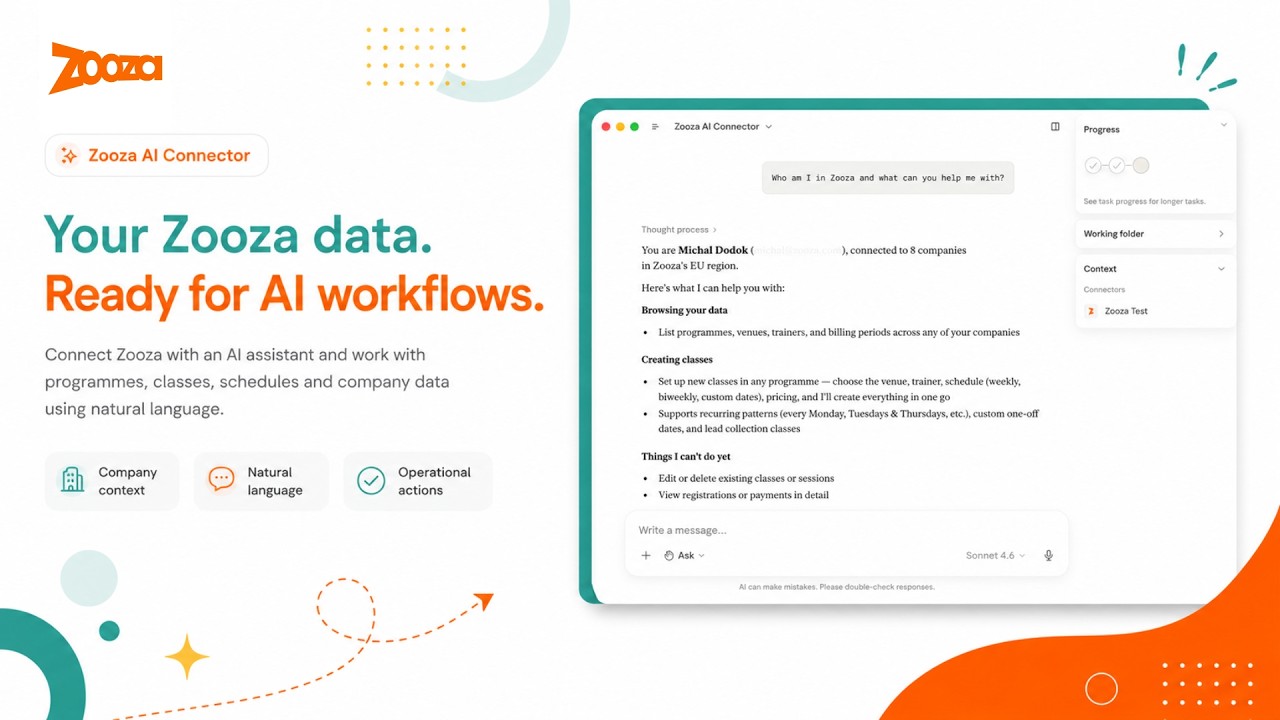
What this is
Zooza MCP Server is a free, open-source Model Context Protocol (MCP) integration for Zooza — the class management and scheduling software for dance schools, language academies, swim schools, music schools, STEAM programmes, sports clubs, and other activity businesses.
It lets activity managers, school administrators, and franchise operators manage schedules, track attendance, create classes, handle bookings and enquiries, set up instalment billing, and query their data through natural language conversation — using Claude, ChatGPT, or any MCP-compatible AI client — without opening the Zooza dashboard.
Zooza powers 500,000+ learners across Slovakia, the Czech Republic, Germany, the UK, and beyond — from single-location dance schools to international franchise networks. This MCP server brings the same platform to any AI client that speaks the Model Context Protocol.
New to Zooza? Create a free account at signup.zooza.online — it takes under 2 minutes.
What you can do
Take attendance

"Open the register for tonight's adult ballet class."
"Who was absent from Saturday's Spanish beginners session?"
"Mark everyone present in today's robotics group."
"Add a note to this week's yoga class — we covered breathing techniques."
Build a term from scratch

"Create a new Spanish for beginners course for Spring 2026 at the city centre location.
 Classes every Tuesday 16:00–17:00 for 12 weeks, starting 3 March.
 Assign trainer Tomáš Novák and preview the full schedule before I confirm."

"Set up our summer robotics camp — Monday to Friday, 9:00–13:00, for 4 weeks in July.
 Split into two age groups: 6–9 and 10–14. Preview both before I confirm."
Turn a photo into a full term — no blank page
Building a season by hand means two days of typing into empty forms. Instead, hand the assistant whatever you already have — a whiteboard photo, a hand-drawn sketch, a spreadsheet screenshot — and it drafts the whole term for you to review before anything goes live.
"Here's a photo of our autumn whiteboard — create these classes in my account, starting Monday the 8th."
"Screenshot of our timetable spreadsheet attached. Build the full term, respecting our holiday calendar."
You always see a preview table and calendar first, and nothing is created until you confirm — you bring the intent, you keep the final say. Read how one brand turned a single photo into 68 live classes across venues: From a photo to a full term of live classes.
Get instant answers
"Which programmes are running this billing period?"
"Who's teaching dance on Monday evenings?"
"Which STEAM courses still have free capacity this term?"
"What sessions are scheduled for tomorrow?"
Manage bookings
"Show unpaid registrations from this season."
"Which clients are on the waiting list for Saturday gymnastics?"
"How many spots are left in the beginner English course?"
Work an enquiry from first email to enrolled
An enquiry arrives, gets a reply, and then lives in someone's inbox until it goes cold. The assistant keeps the whole thread as records in Zooza instead — the enquiry becomes a trackable lead, the reply comes back where you can see it, and anything needing a human becomes a to-do with a name on it.
"Log this enquiry from the contact form as a lead and tag it 'spring-open-day'."
"Did anyone reply to last week's trial invitations? Show me what they said."
"This parent asked about sibling discounts — assign it to Katka, due Friday."
"Tag the leads who booked a trial as 'converted' and close out the rest."
Nothing here emails the customer behind your back — capturing a lead sends nothing, and every outbound message still goes through the plan-then-confirm flow.
Set up instalment billing
"Split our €200 term fee into 4 monthly payments and offer it on the ballet programme."
"This programme has 14 payment plans attached — clean it up, leave only the two we use."
"Put Nováková's booking on the 3-instalment plan starting next month."
Ask for any report — in plain language
No report modules, no spreadsheet formulas. Ask a business question the way you actually think about it, and the assistant pulls the real numbers and lays them out — shaped around your question, not a fixed dashboard.
"Who's at which venue each day this week?"
"Which instructors are stretched thin, and who has room for more?"
"What grew and what shrank between the spring and summer terms?"
"How many seats does my whole operation actually have right now?"
Reporting only ever reads — it never touches bookings, classes, or payments, so you can explore freely. More on how brands use this: Custom reports, just by asking.
No clicking through menus. No switching tabs. No automation scripts. Just ask — Claude handles the lookups, rosters, previews, and confirmations.
Supported clients
| Client | How to connect |
|---|---|
| Claude Desktop | Native MCP over HTTPS |
| Claude Code | Plugin zip or manual .mcp.json |
| ChatGPT | OpenAI Actions — domain verified at mcp.zooza.app |
| Any MCP-compatible client | Streamable HTTP — https://mcp.zooza.app/mcp |
Connect in 2 minutes
Don't have a Zooza account yet? Sign up free at signup.zooza.online
Claude Desktop
Add this to your claude_desktop_config.json:
{
  "mcpServers": {
    "zooza": {
      "type": "http",
      "url": "https://mcp.zooza.app/mcp"
    }
  }
}
File location:
- macOS:
~/Library/Application Support/Claude/claude_desktop_config.json - Windows:
%APPDATA%\Claude\claude_desktop_config.json
Restart Claude Desktop. On first use, you'll be prompted to sign in to your Zooza account — no API keys, no extra setup, just your existing login.
Claude Code
Download the latest plugin from Releases (file named zooza-plugin-v*.zip) and run:
/install-plugin zooza-plugin-v*.zip
The plugin includes the MCP connection config, guided workflow skills, and automatic session context.
Note: Five of the 35 tools (
get_terminology,explain_data_model,comms_list_merge_vars,classes_list_schedule_patterns,negotiate_terminology) work without any Zooza account — useful for exploring how the data model works before connecting live data.
How it works
You → Claude / ChatGPT → Zooza MCP Server → Zooza API → Your data
The MCP server is stateless and hosted by Zooza at mcp.zooza.app. You don't run anything locally. Every request is authenticated against your Zooza account — Claude can only see and change what you're already allowed to access in the dashboard.
Every write operation requires explicit confirmation before anything is committed — Claude shows you what it's about to create or change, and only proceeds when you confirm.
Regions: EU (SK/CZ/DE/RO/HU/IT/PL), UK, US, and Asia regions are all supported. Your account is automatically routed to the correct regional infrastructure.
Multi-location and franchise accounts: Claude will ask which location to operate on at the start of each session. You can switch mid-conversation — useful for comparing across sites or managing a network.
Languages & regions
Zooza MCP is designed for multilingual, multi-market operation. It understands regional terminology differences out of the box:
| Market | Language | How Zooza users say it |
|---|---|---|
| Slovakia | Slovak | kurzy (programmes), hodiny (sessions), dochádzka (attendance) |
| Czech Republic | Czech | kurzy / lekce (sessions), evidence docházky (attendance) |
| Germany / Austria | German | Kurse (courses), Stunden (sessions), Stundenplan (schedule) |
| UK | English | terms, registers, classes |
| Romania, Hungary, Italy, Poland | Local + English | supported |
The negotiate_terminology tool lets Claude learn your business's specific vocabulary once and use it in every future conversation — so if you call programmes "kurzy" and sessions "hodiny," Claude will always respond in your terms.
Available tools
35 tools covering scheduling, attendance, bookings and leads, client communication, payments and instalment billing, reporting, class and session editing, and Zooza domain knowledge.
Scheduling & class management
| Tool | What it does |
|---|---|
classes_add_course | Create a new programme — the container that holds pricing, payment settings, and booking-form config. Only for a genuinely new offering; a new term or time slot is a class inside an existing programme |
classes_preview_schedule | Preview a recurring class schedule before committing |
classes_preview_events | Preview individual sessions across a date range |
classes_commit_class | Create a class with a full recurring session schedule |
Editing classes & sessions
Every edit is a two-step preview → confirm — you call the same tool twice, and nothing changes until you approve the diff.
| Tool | What it does |
|---|---|
classes_update | Edit a class — name, price, capacity, billing period, instructor, venue, or duration. Call once to preview, again with the token to apply |
sessions_update | Edit specific sessions — reschedule a date/time, or change instructor, venue, or duration. Call once to preview, again with the token to apply. Can notify affected clients |
classes_update_course_settings | Change programme settings one section at a time — pricing, online booking, make-ups, trial, auto-enrolment, attendance, feedback, or archiving |
trainers_add_helpers | Register additional lecturers (second instructor / assistant / helper) on classes and pick which sessions each works — "Martin Mondays, Peter Tuesdays, both Wednesdays". Call once to preview, again with the token to apply |
Attendance
| Tool | What it does |
|---|---|
sessions_find_events | Find scheduled sessions by date, trainer, or programme |
sessions_get_attendance | Get the attendance list for one session — who is enrolled and their current status |
sessions_mark_attendance | Record attendance for each participant (attended / absent / late-cancel) |
sessions_add_summary | Add a coach note or session summary to a completed event |
Bookings
| Tool | What it does |
|---|---|
bookings_find | Find who is enrolled in a class, resolve a client, or list unpaid registrations |
bookings_add_lead | Capture an inbound enquiry as a trackable lead record. Does not enrol, charge, or email the customer |
Client communication
| Tool | What it does |
|---|---|
comms_list_templates | List the automated email templates Zooza sends to this company's clients |
comms_send_message | Email an audience (programme, class, booking, client, or segment). Call once to plan — nothing is sent — then again with the token to send |
comms_find_replies | Read what customers replied back to your Zooza emails, and mark a reply todo or resolved so the same one isn't handled twice |
Payments & instalment billing
Setting up instalments is three separate objects: the programme carries the price, a template says how to split it, and a plan attaches that split to one client's booking. A programme set to instalment collection produces no payment schedule until a template is attached, and a template on a programme is not inherited — each booking needs the plan applied.
| Tool | What it does |
|---|---|
setup_add_payment_template | Create a company-level payment plan template — how many instalments, how often, with what discount and rounding. The template never carries the price |
setup_update_course_templates | Choose which templates a programme offers clients — attach new ones, and detach the ones Zooza auto-attached that shouldn't be there. Preview, then confirm |
payments_add_plan | Put one booking on a payment plan. Preview returns the total and the instalment dates, then confirm to apply |
Leads, labels & follow-up
| Tool | What it does |
|---|---|
labels_mark | Attach or detach a label on a programme, class, or registration — tag a lead converted, flag one todo. Labels on a class can be visible on the public booking widget; the output tells you which |
todos_add | Create a to-do for a colleague, optionally linked to the record it's about, with a due date — how you escalate something that needs a human |
todos_mark | Change a to-do's status once it's been handled |
Reporting
| Tool | What it does |
|---|---|
reports_get_data | Return real, pre-aggregated business numbers (occupancy, unpaid, attendance, revenue…) to compose a report |
Lookups
| Tool | What it does |
|---|---|
whoami | Identify the connected user and list accessible companies/locations |
classes_find_courses | Search programmes by billing period, name, or status |
classes_find_classes | Find a specific class/group within a programme and resolve its schedule_id |
classes_find_resource (kind:"billing_period") | List billing periods (seasons/terms) for a company |
classes_find_resource (kind:"trainer") | List trainers available at a location |
classes_find_resource (kind:"trainer_rate_type") | List a company's trainer pay-rate types (used when assigning a rate) |
classes_find_resource (kind:"place") | List rooms and locations for a company |
Free tools — Zooza domain knowledge (no API calls, no account needed)
These five tools carry Zooza-specific knowledge and work without credentials — no Zooza account required. Useful for exploring the data model, preparing messages, and setting up vocabulary before connecting live data.
| Tool | What it does |
|---|---|
get_terminology | Translate Zooza terms by region — e.g. "Programme" vs "Course" vs "Kurz" |
explain_data_model | Explain how Zooza entities relate (Programme → Class → Session → Registration) |
comms_list_merge_vars | Full catalogue of merge variables for Zooza message templates |
classes_list_schedule_patterns | Reference for recurrence patterns (weekly, bi-weekly, block, camp) |
negotiate_terminology | Save your business vocabulary to Claude memory for future sessions |
Utilities
| Tool | What it does |
|---|---|
get_skill | Load a guided playbook for multi-step workflows |
submit_feedback | Submit a feature request or bug report to the Zooza engineering team |
Skills — guided activity workflows
Skills are playbooks that teach Claude how to combine tools correctly for real operational scenarios. Claude loads the right skill automatically when it detects a matching request.
| Skill | What it handles |
|---|---|
onboarding-profile | Guided first-run setup — identifies the business model, aligns vocabulary, and walks through the full setup checklist. |
class-management | Full guided flow for creating a class: interview → schedule preview → confirmation. |
schedule-optimization | Build a whole weekly timetable for a new term — optimise from scratch or roll over the current period. |
communication | Guided client email flow: work out the audience, pick a template or compose, preview recipient counts, send after confirmation. |
report-discovery | Maps a business symptom ("feels like fewer kids coming") to the right metric and report. |
report-compose | Build a focused, single-question report from the operator's real data — no invented numbers. |
business-model-validator | Check whether a proposed programme structure fits Zooza's pricing and billing model before building it. |
negotiate-terminology | Interview the operator about their vocabulary and save the profile to Claude memory. |
feedback-nudge | Draft and submit a bug report or feature request to the Zooza engineering team. |
report-page-new | Add a brand-new page to the client reports app when a question has no existing view but the data exists. |
Security & compliance
- TLS on all traffic between your AI client and
mcp.zooza.app - OAuth 2.0 — Claude receives a scoped token tied to your Zooza identity, not your password
- Permission inheritance — Claude can only do what your Zooza account allows
- Confirmation before write — all operations that create or change records require explicit confirmation
- Stateless server — the MCP server holds no session state between requests. For security and debugging, Zooza keeps a server-side audit log of tool calls (which tool ran, its arguments, and the result); it stays within Zooza's own infrastructure and is never shared with third parties
- GDPR-ready — Zooza processes data in accordance with GDPR. See the Privacy Policy and Terms of Personal Data Processing. EU accounts are routed to EU-region infrastructure.
- Regional data routing — EU, UK, US, and Asia regions each route to their own infrastructure; your JWT determines the region automatically
Queries to Zooza MCP may be processed by your chosen AI provider (Anthropic, OpenAI, etc.). Review their data policies alongside Zooza's when evaluating compliance requirements. All write operations require explicit confirmation before execution.
What Zooza is
Zooza is an end-to-end class management and scheduling software platform for activity brands:
Dance & movement — dance academies, gymnastics, baby movement classes, yoga
Language & education — language schools, tutoring centres, STEAM / robotics / coding
Sports — martial arts, swim schools, tennis academies, sports clubs and franchises
Camps & seasonal — summer camps, holiday programmes, weekend workshops
Music — music schools, instrument lessons, group and individual programmes
Fitness & wellness — fitness studios, pilates, baby & toddler classes
All running on one platform, from a single location to an international franchise network.
Zooza handles the full operational lifecycle: programme setup, class scheduling, client bookings and registrations, attendance tracking, payment management, parent communication, and multi-location reporting — designed to automate the manual work that currently lives in spreadsheets, WhatsApp groups, and six different dashboard tabs.
Zooza MCP extends this platform to AI. Instead of clicking through dashboards, your team — from activity managers to franchise operators — can operate Zooza through natural language conversation using Claude, ChatGPT, or any AI client that speaks the Model Context Protocol.
Roadmap
| Tool | What it will do |
|---|---|
cancel_day | Cancel all classes on a date with optional parent notifications |
transfer_booking | Move a client from one class to another |
initiate_refund | Prepare and confirm a credit or refund |
For developers
Local development setup
Run locally
git clone https://github.com/zooza-dev/zooza-mcp-server
cd zooza-mcp-server
npm install
cp .env.example .env   # fill in credentials
npm run dev            # http://localhost:3001/mcp
Want to self-host, contribute, or build on top of this? The setup takes under 5 minutes — see the architecture section below.
Environment variables
| Variable | Required | Description |
|---|---|---|
ZOOZA_API_BASE | yes | Zooza API base URL (e.g. http://php-server/v1) |
ZOOZA_API_KEY | yes | Server-wide API key for the MCP integration |
MCP_RESOURCE_URL | prod | Public URL of this MCP server |
MCP_AUTH_SERVER_URL | prod | Zooza OAuth server base URL |
PORT | no | HTTP port (default 3001) |
ZOOZA_SERVER_REGION | no | eu (default) / uk / us / asia |
ZOOZA_ALLOW_HARDCODED_AUTH | dev only | Set true to skip JWT validation locally |
ZOOZA_API_TOKEN | dev only | Dev-fallback token (only with hardcoded auth enabled) |
AUDIT_LOG_PATH | no | Per-tool-call JSONL audit log path (default logs/audit.log) |
Smoke test
curl -sS http://localhost:3001/mcp \
  -H 'Content-Type: application/json' \
  -H 'Accept: application/json, text/event-stream' \
  -d '{"jsonrpc":"2.0","id":1,"method":"tools/list"}'
Debug bookend workflow
Every tool call appends one JSON line to logs/audit.log. Each entry carries request_id, tool, args, outcome, result-or-error, and duration_ms.
Bookend pattern for debugging:
- "I'm about to call
sessions_find_events." → Claude records the log line count - Run the tool from your MCP client
- "done." → Claude reads the new lines and reports what the server saw
Architecture
Claude / ChatGPT (any MCP client)
    │  Streamable HTTP over TLS
    ▼
mcp.zooza.app  (Node.js / TypeScript — stateless)
    │  OAuth 2.0 JWT validation + regional routing
    ▼
Zooza API  (your data, your permissions)
The skills layer is a differentiator worth noting: skills are .md playbooks delivered as MCP prompts resources. An operator installs them locally (/install-plugin) and Claude loads the relevant one automatically. If you're building a vertical MCP server for another domain, the skills architecture is reusable — it separates "what tools do" from "how to use them together."
Support
help.zooza.online — Full documentation
zooza.online — Platform website
hello@zooza.online — Get in touch
signup.zooza.online — Create a Zooza account
If this saves you time, a ⭐ helps others find it.
Built by Zooza — class management and scheduling software for activity brands.
Featured
Fastest browser for AI agents to run web automation tasks, always free.
Download Free life-time →Notes, actions and memory. Without a meeting bot. First month 100% off.
Download for free →belt cli automatically finds the best tools and skills for your agent. image, video, music, tts...
one prompt install →Connect your Claude agent to live crypto prices and trading routes via 1inch
Get the MCP →Block distracting apps from your iPhone permanently without a 3rd party app. Free and open source.
Block now (100% free) →