
Summary
Framelink MCP for Figma provides AI coding agents access to Figma design data through the Model Context Protocol, enabling them to fetch and parse design metadata directly from Figma files, frames, and groups. The server simplifies Figma API responses by extracting only relevant layout and styling information, reducing context noise to improve AI accuracy when implementing designs. This integration allows tools like Cursor to generate code implementations of UI designs in a single pass by accessing structured design data instead of relying on screenshots.
Install to Claude Code
verifiedclaude mcp add figma-context-mcp --env FIGMA_API_KEY=YOUR_FIGMA_API_KEY -- npx -y figma-developer-mcp --stdioRun in your terminal. Replace YOUR_* placeholders with real values; add --scope user to install for every project.
Review the command, arguments, and environment values before installing — MCP servers run with your local permissions.



Fastest browser for AI agents to run web automation tasks, always free.
Download Free life-time →

Integrate web data into your AI product. One API to scrape website & brand data.
Get API Key Now →
belt cli automatically finds the best tools and skills for your agent. image, video, music, tts...
one prompt install →

Connect your Claude agent to live crypto prices and trading routes via 1inch
Get the MCP →


Tools
Verified live against the running server on Jun 10, 2026.
verified live2 tools
get_figma_dataGet comprehensive Figma file data including layout, content, visuals, and component information3 params
Get comprehensive Figma file data including layout, content, visuals, and component information
Parameters* required
depthnumberOPTIONAL. Do NOT use unless explicitly requested by the user. Controls how many levels deep to traverse the node tree.
fileKey*stringThe key of the Figma file to fetch, often found in a provided URL like figma.com/(file|design)/<fileKey>/...
nodeIdstringThe ID of the node to fetch, often found as URL parameter node-id=<nodeId>, always use if provided. Use format '1234:5678' for a standard node, or 'I5666:180910;1:10515;1:10336' for a deeply nested...
download_figma_imagesDownload SVG and PNG images used in a Figma file based on the IDs of image or icon nodes. Images will be saved relative to the server's image directory: /Users/duzgundev/code/vinena-studio/claudemarketplaces.com.feat-directory-quality4 params
Download SVG and PNG images used in a Figma file based on the IDs of image or icon nodes. Images will be saved relative to the server's image directory: /Users/duzgundev/code/vinena-studio/claudemarketplaces.com.feat-directory-quality
Parameters* required
fileKey*stringThe key of the Figma file containing the images
localPath*stringThe directory to save images in. Provide a path relative to the server's image directory (e.g., 'public/images' or 'assets/icons'). Either separator works. Absolute paths are accepted only if they...
nodes*arrayThe nodes to fetch as images
pngScalenumberExport scale for PNG images. Optional, defaults to 2 if not specified. Affects PNG images only.default: 2

Framelink MCP for Figma
Give your coding agent access to your Figma data.
Implement designs in any framework in one-shot.



Give Cursor and other AI-powered coding tools access to your Figma files with this Model Context Protocol server.
When Cursor has access to Figma design data, it's way better at one-shotting designs accurately than alternative approaches like pasting screenshots.
See quickstart instructions →
Demo
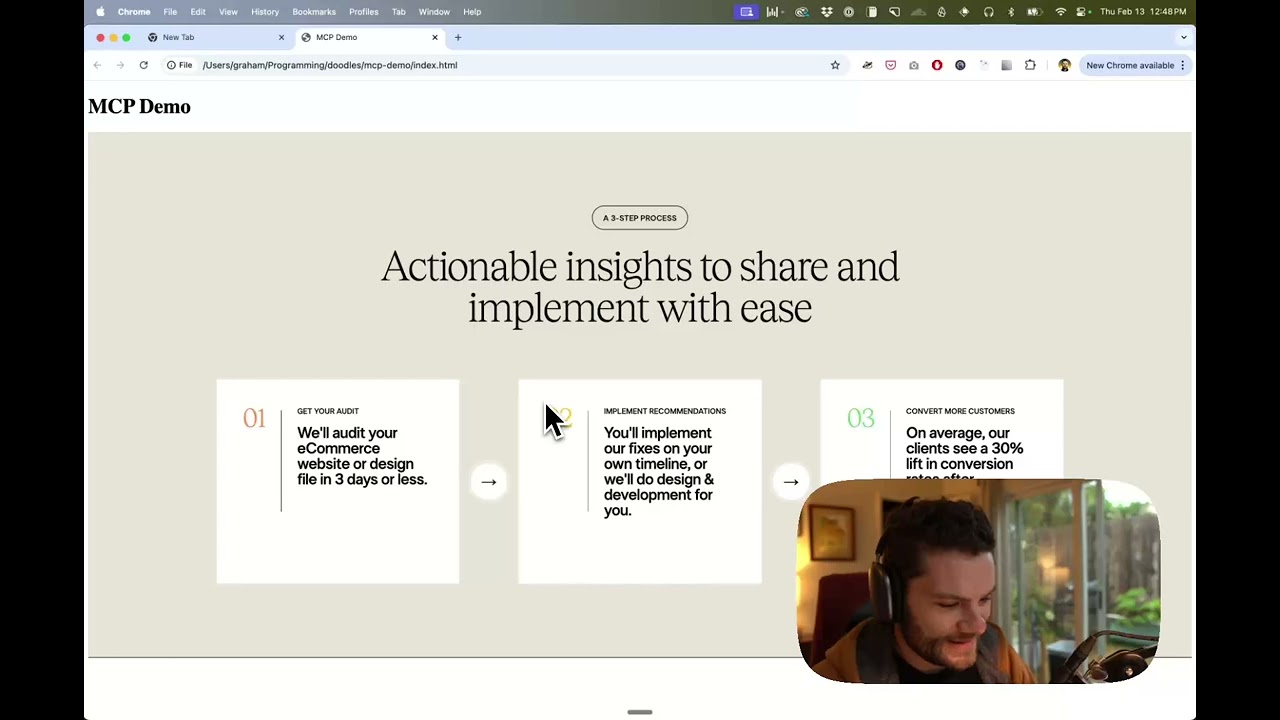
Watch a demo of building a UI in Cursor with Figma design data
How it works
- Open your IDE's chat (e.g. agent mode in Cursor).
- Paste a link to a Figma file, frame, or group.
- Ask Cursor to do something with the Figma file—e.g. implement the design.
- Cursor will fetch the relevant metadata from Figma and use it to write your code.
This MCP server is specifically designed for use with Cursor. Before responding with context from the Figma API, it simplifies and translates the response so only the most relevant layout and styling information is provided to the model.
Reducing the amount of context provided to the model helps make the AI more accurate and the responses more relevant.
Getting Started
Many code editors and other AI clients use a configuration file to manage MCP servers.
The figma-developer-mcp server can be configured by adding the following to your configuration file.
NOTE: You will need to create a Figma access token to use this server. Instructions on how to create a Figma API access token can be found here.
MacOS / Linux
{
  "mcpServers": {
    "Framelink MCP for Figma": {
      "command": "npx",
      "args": ["-y", "figma-developer-mcp", "--figma-api-key=YOUR-KEY", "--stdio"]
    }
  }
}
Windows
{
  "mcpServers": {
    "Framelink MCP for Figma": {
      "command": "cmd",
      "args": ["/c", "npx", "-y", "figma-developer-mcp", "--figma-api-key=YOUR-KEY", "--stdio"]
    }
  }
}
Or you can set FIGMA_API_KEY and PORT in the env field.
If you need more information on how to configure the Framelink MCP for Figma, see the Framelink docs.
Star History
Learn More
The Framelink MCP for Figma is simple but powerful. Get the most out of it by learning more at the Framelink site.
Featured
Fastest browser for AI agents to run web automation tasks, always free.
Download Free life-time →Integrate web data into your AI product. One API to scrape website & brand data.
Get API Key Now →belt cli automatically finds the best tools and skills for your agent. image, video, music, tts...
one prompt install →Connect your Claude agent to live crypto prices and trading routes via 1inch
Get the MCP →Configuration
FIGMA_API_KEY*secretYour Figma Personal Access Token, learn more here: https://www.figma.com/developers/api#access-tokens
Registryactive
Packagefigma-developer-mcp
TransportSTDIO
AuthRequired
Tools verifiedJun 10, 2026
UpdatedMay 27, 2026


