
Summary
Minimax Mcp provides integration with MiniMax AI models through the Model Context Protocol, enabling Claude and other AI assistants to access MiniMax's language models and capabilities. The server exposes tools for making API calls to MiniMax's chat and language model endpoints, allowing users to leverage MiniMax-01 and other models for text generation, conversation, and reasoning tasks. This solves the problem of integrating alternative large language models into MCP-compatible applications without rebuilding core infrastructure.



Fastest browser for AI agents to run web automation tasks, always free.
Download Free life-time →
belt cli automatically finds the best tools and skills for your agent. image, video, music, tts...
one prompt install →

Connect your Claude agent to live crypto prices and trading routes via 1inch
Get the MCP →


Integrate web data into your AI product. One API to scrape website & brand data.
Get API Key Now →








Official MiniMax Model Context Protocol (MCP) server that enables interaction with powerful Text to Speech and video/image generation APIs. This server allows MCP clients like Claude Desktop, Cursor, Windsurf, OpenAI Agents and others to generate speech, clone voices, generate video, generate image and more.
💡 Recommended: MiniMax CLI (mmx-cli) — our official command-line tool with the latest models and additional features including text, vision, and search. Works as an AI agent skill for Claude Code, Cursor, OpenClaw, etc.
Documentation
- 中文文档
- MiniMax-MCP-JS - Official JavaScript implementation of MiniMax MCP
Quickstart with MCP Client
- Get your API key from MiniMax.
- Install
uv(Python package manager), install withcurl -LsSf https://astral.sh/uv/install.sh | shor see theuvrepo for additional install methods. - Important: The API host and key vary by region and must match; otherwise, you'll encounter an
Invalid API keyerror.
| Region | Global | Mainland |
|---|---|---|
| MINIMAX_API_KEY | go get from MiniMax Global | go get from MiniMax |
| MINIMAX_API_HOST | https://api.minimax.io | https://api.minimaxi.com |
Claude Desktop
Go to Claude > Settings > Developer > Edit Config > claude_desktop_config.json to include the following:
{
  "mcpServers": {
    "MiniMax": {
      "command": "uvx",
      "args": [
        "minimax-mcp",
        "-y"
      ],
      "env": {
        "MINIMAX_API_KEY": "insert-your-api-key-here",
        "MINIMAX_MCP_BASE_PATH": "local-output-dir-path, such as /User/xxx/Desktop",
        "MINIMAX_API_HOST": "api host, https://api.minimax.io | https://api.minimaxi.com",
        "MINIMAX_API_RESOURCE_MODE": "optional, [url|local], url is default, audio/image/video are downloaded locally or provided in URL format"
      }
    }
  }
}
⚠️ Warning: The API key needs to match the host. If an error "API Error: invalid api key" occurs, please check your api host:
- Global Host:
https://api.minimax.io - Mainland Host:
https://api.minimaxi.com
If you're using Windows, you will have to enable "Developer Mode" in Claude Desktop to use the MCP server. Click "Help" in the hamburger menu in the top left and select "Enable Developer Mode".
Cursor
Go to Cursor -> Preferences -> Cursor Settings -> MCP -> Add new global MCP Server to add above config.
That's it. Your MCP client can now interact with MiniMax through these tools:
Transport
We support two transport types: stdio and sse.
| stdio | SSE |
|---|---|
| Run locally | Can be deployed locally or in the cloud |
Communication through stdout | Communication through network |
Input: Supports processing local files or valid URL resources | Input: When deployed in the cloud, it is recommended to use URL for input |
Available Tools
| tool | description |
|---|---|
text_to_audio | Convert text to audio with a given voice |
list_voices | List all voices available |
voice_clone | Clone a voice using provided audio files |
generate_video | Generate a video from a prompt |
text_to_image | Generate a image from a prompt |
query_video_generation | Query the result of video generation task |
voice_design | Generate a voice from a prompt using preview text |
Release Notes
July 2, 2025
🆕 What's New
- Voice Design: New
voice_designtool - create custom voices from descriptive prompts with preview audio - Video Enhancement: Added
MiniMax-Hailuo-02model with ultra-clear quality and duration/resolution controls
📈 Enhanced Tools
voice_design- Generate personalized voices from text descriptionsgenerate_video- Now supports MiniMax-Hailuo-02 with 6s/10s duration and 768P/1080P resolution options
FAQ
1. invalid api key
Please ensure your API key and API host are regionally aligned
| Region | Global | Mainland |
|---|---|---|
| MINIMAX_API_KEY | go get from MiniMax Global | go get from MiniMax |
| MINIMAX_API_HOST | https://api.minimax.io | https://api.minimaxi.com |
2. spawn uvx ENOENT
Please confirm its absolute path by running this command in your terminal:
which uvx
Once you obtain the absolute path (e.g., /usr/local/bin/uvx), update your configuration to use that path (e.g., "command": "/usr/local/bin/uvx").
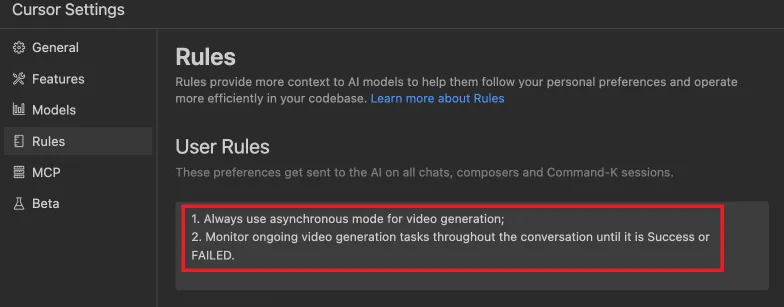
3. How to use generate_video in async-mode
Define completion rules before starting:
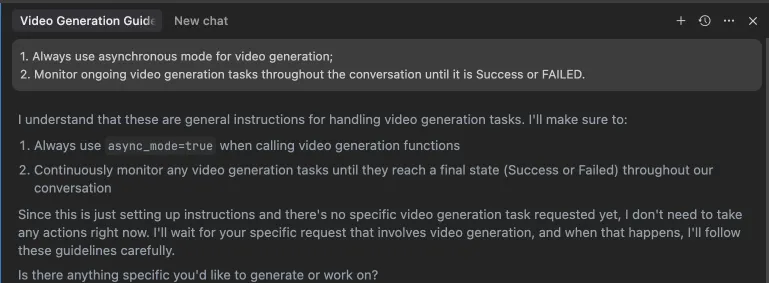 Alternatively, these rules can be configured in your IDE settings (e.g., Cursor):
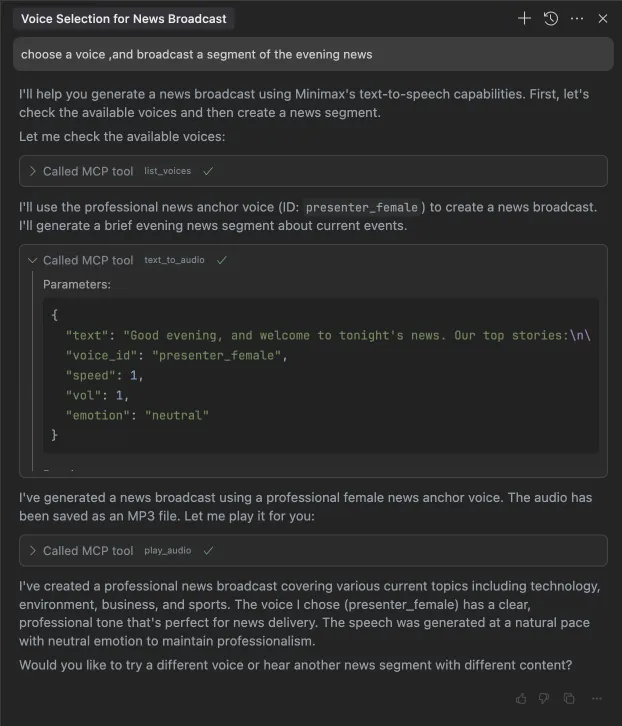
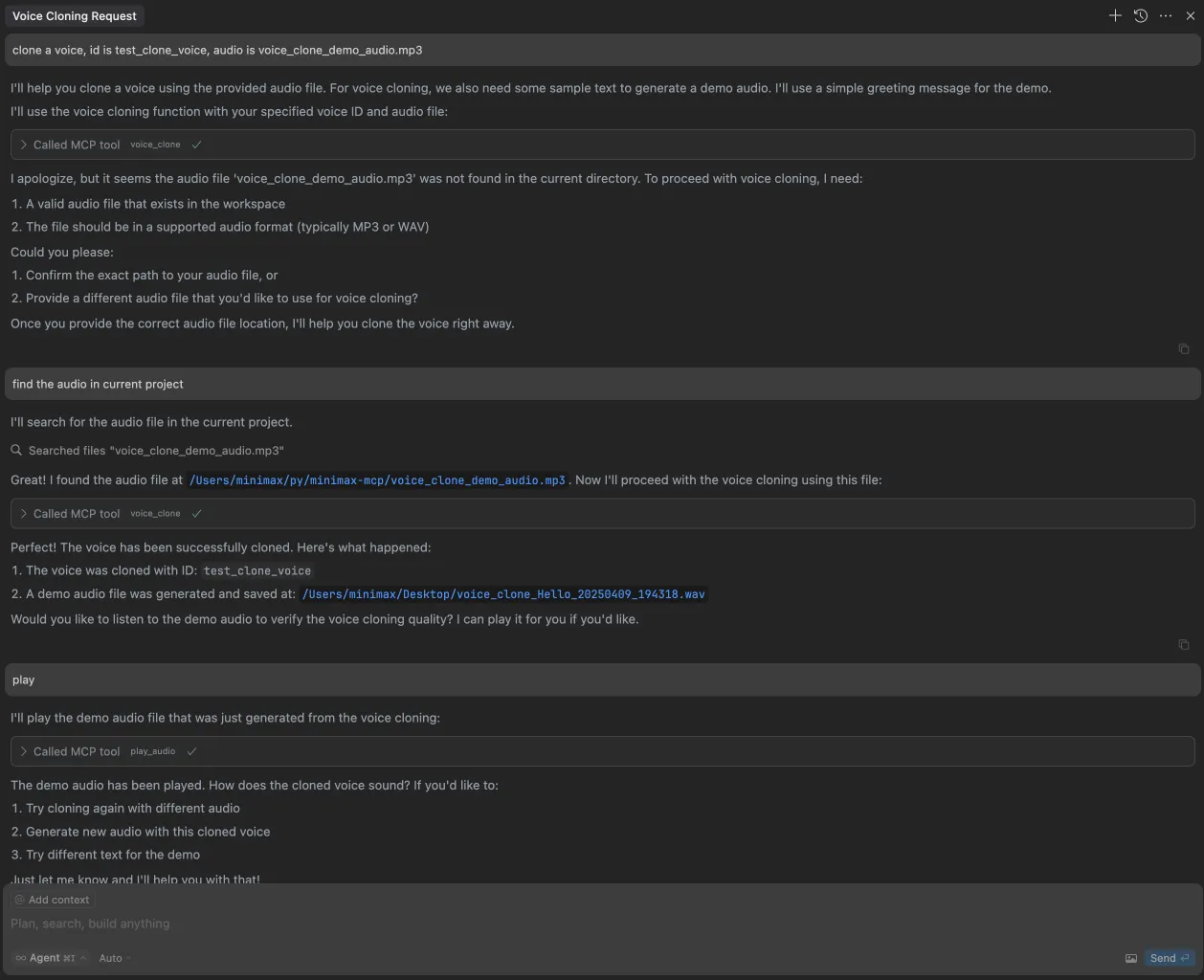
Example usage
⚠️ Warning: Using these tools may incur costs.
1. broadcast a segment of the evening news
2. clone a voice
3. generate a video
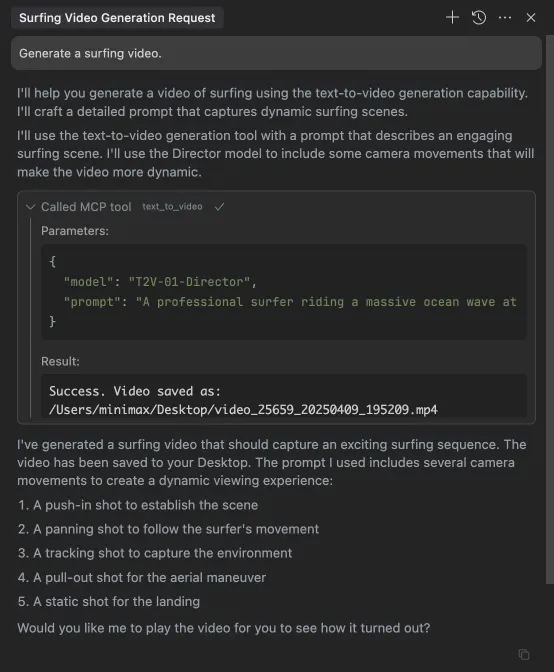
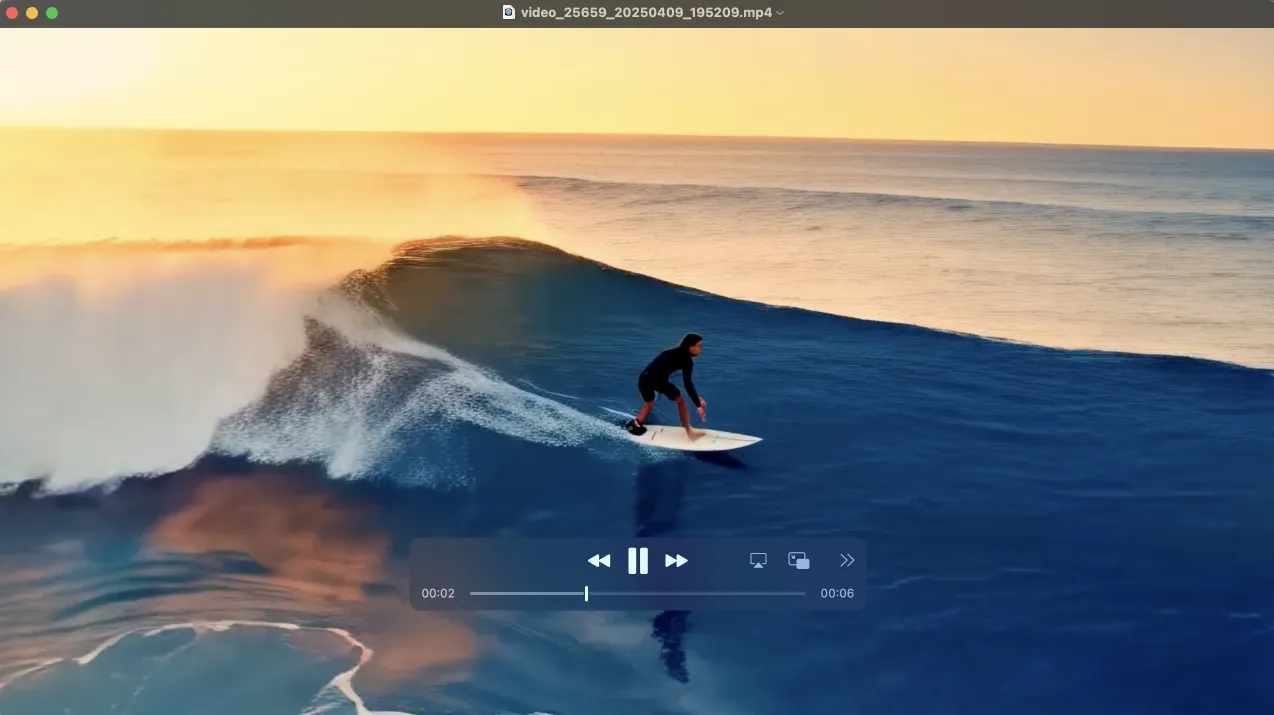
4. generate images
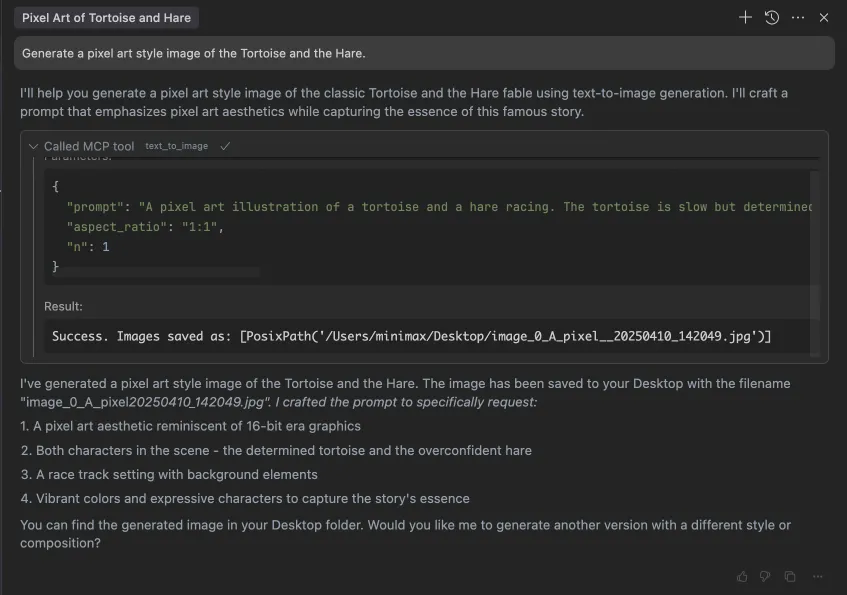
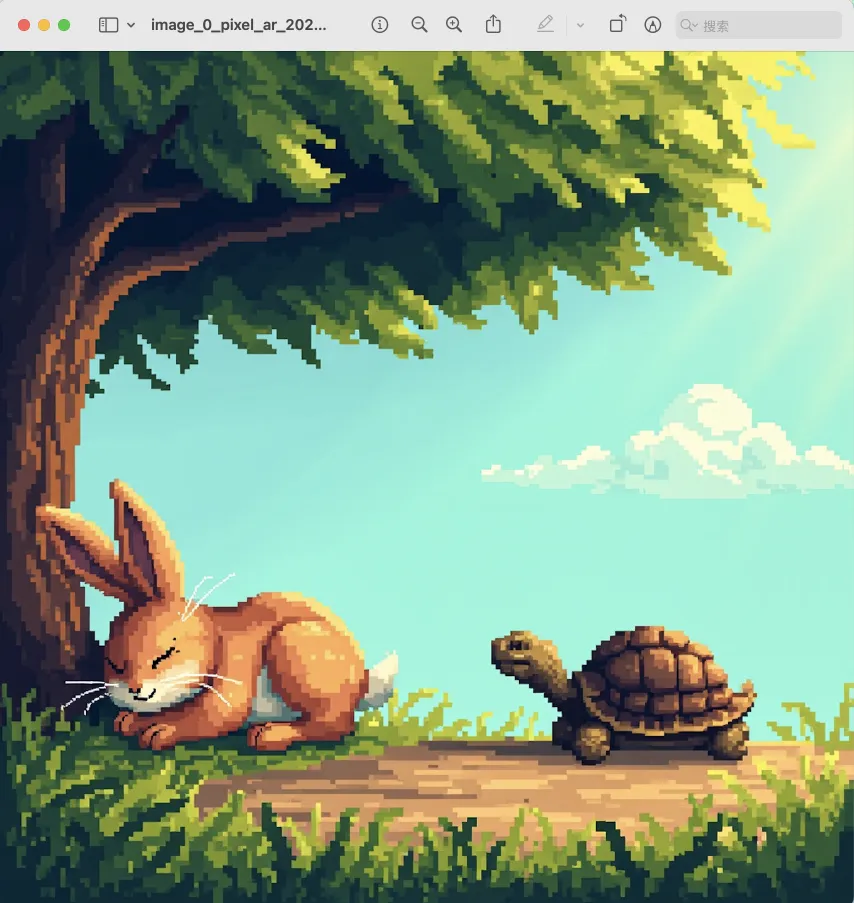
Featured
Fastest browser for AI agents to run web automation tasks, always free.
Download Free life-time →belt cli automatically finds the best tools and skills for your agent. image, video, music, tts...
one prompt install →Connect your Claude agent to live crypto prices and trading routes via 1inch
Get the MCP →Integrate web data into your AI product. One API to scrape website & brand data.
Get API Key Now →


