
Summary
The Unrealgenaisupport server provides Unreal Engine with generative AI integration capabilities, supporting multiple LLM APIs including OpenAI (GPT models), Claude (Sonnet/Opus), and Deepseek R1 for game development tasks. It enables developers to spawn scene objects, modify transformations and materials, generate blueprints and functions, add components, and execute scripts through AI-driven interactions without managing the underlying LLM integration layer. The plugin solves the problem of rapidly evolving AI models by offering a unified, long-term support interface that abstracts away API complexity while supporting Unreal Engine 5.4 through 5.7+.



Fastest browser for AI agents to run web automation tasks, always free.
Download Free life-time →
Notes, actions and memory. Without a meeting bot. First month 100% off.
Download for free →


belt cli automatically finds the best tools and skills for your agent. image, video, music, tts...
one prompt install →

Connect your Claude agent to live crypto prices and trading routes via 1inch
Get the MCP →

Block distracting apps from your iPhone permanently without a 3rd party app. Free and open source.
Block now (100% free) →







Usage Examples:
MCP Example:
Claude spawning scene objects and controlling their transformations and materials, generating blueprints, functions, variables, adding components, running python scripts etc.

API Example:
A project called become human, where NPCs are OpenAI agentic instances. Built using this plugin.

Unreal Engine Generative AI Support Plugin:
Every month, hundreds of new AI models are released by various organizations, making it hard to keep up with the latest advancements.
The "Unreal Engine Generative AI Support Plugin" allows you to focus on game development without worrying about the LLM/GenAI integration layer.
Current Progress:
This plugin will continue to get updates with the latest features and models. Contributions are welcome. For production-ready alternatives with 200+ AI models, guaranteed stability, automated testing, and UE 5.1-5.7+ support, check out the pro plugins below. This free plugin covers many use cases (including the examples above) and you can use it for free, forever.
Pro Plugins on Fab.com
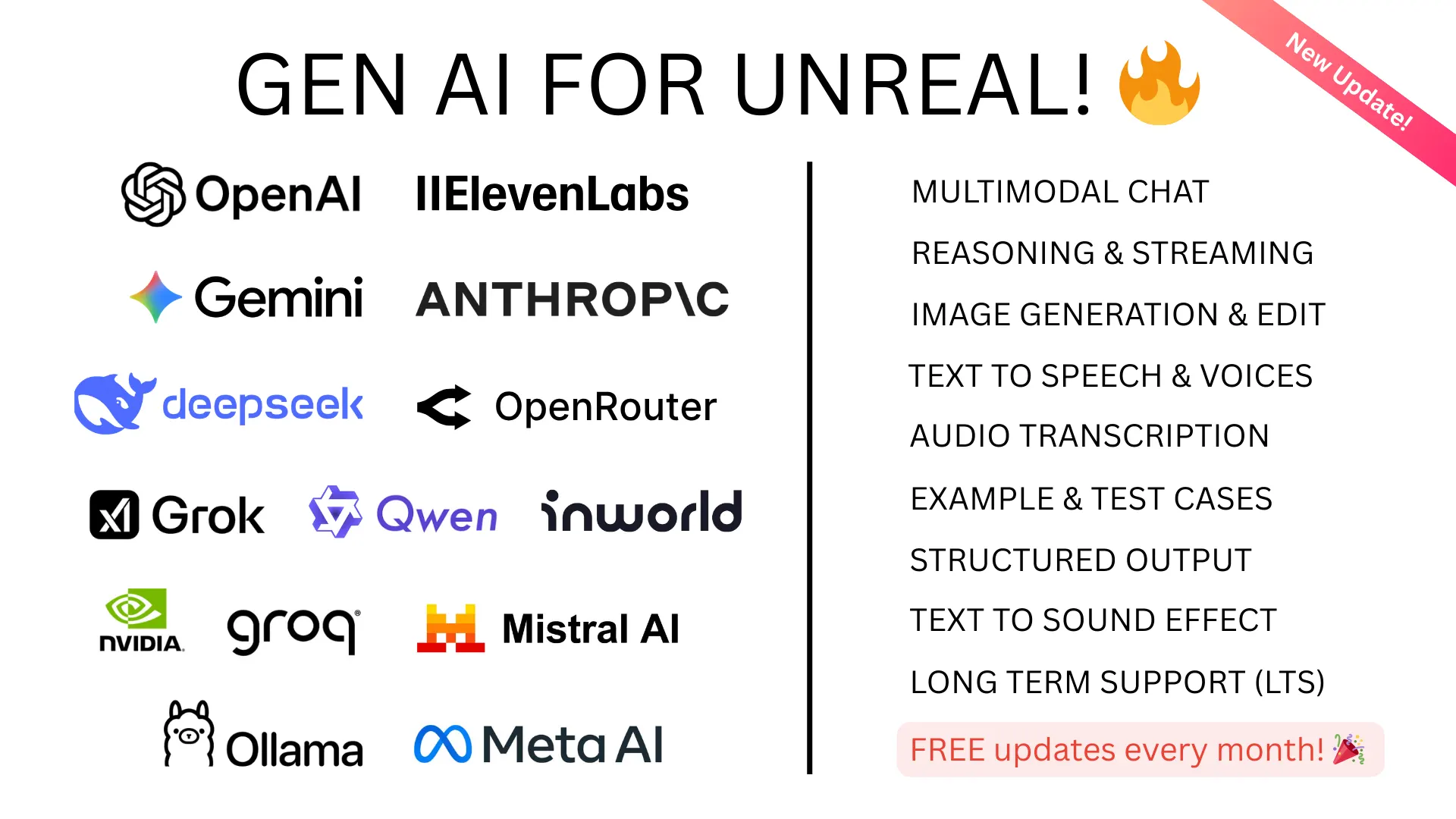
Gen AI Pro |
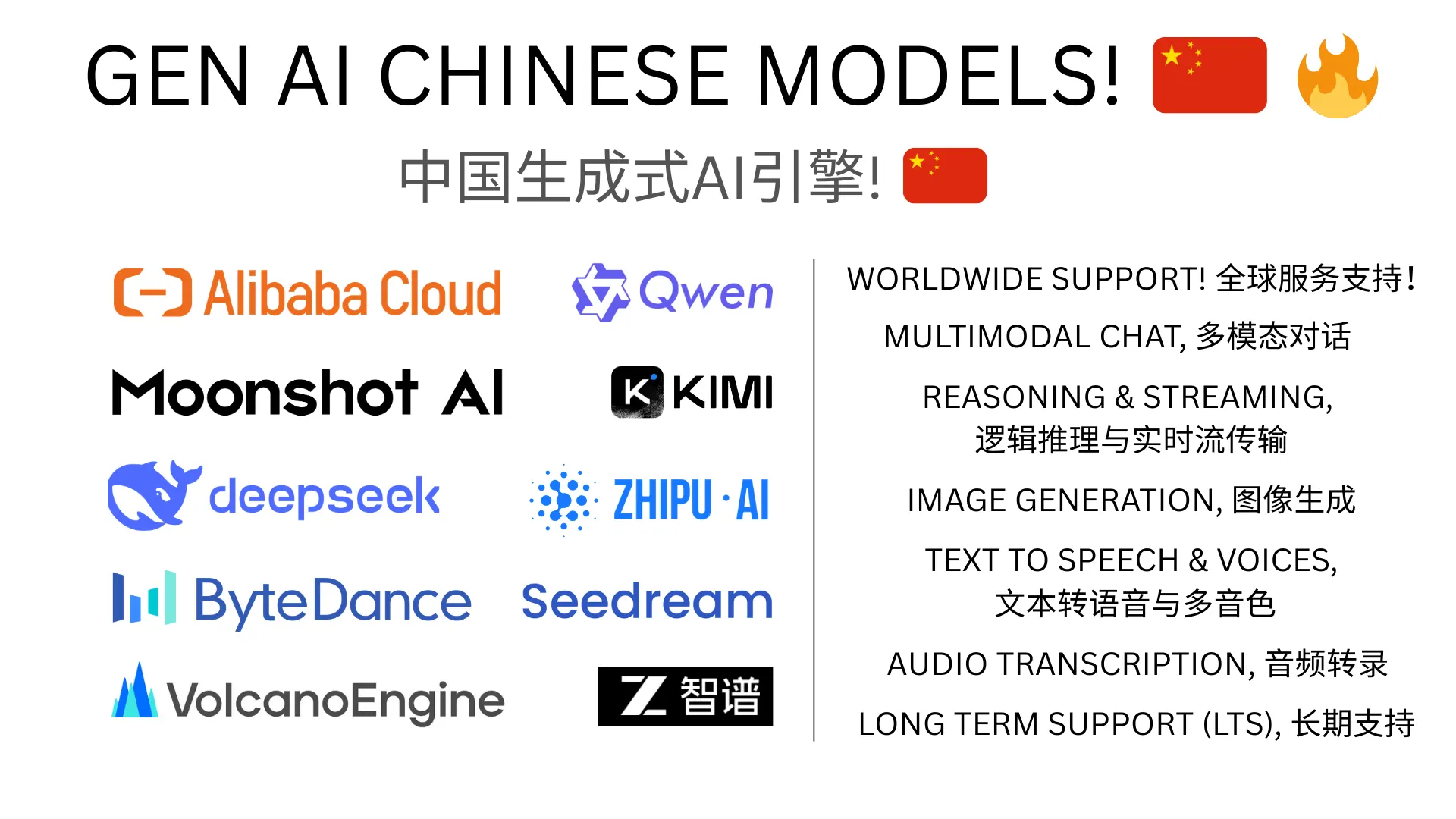
Gen AI Pro China |
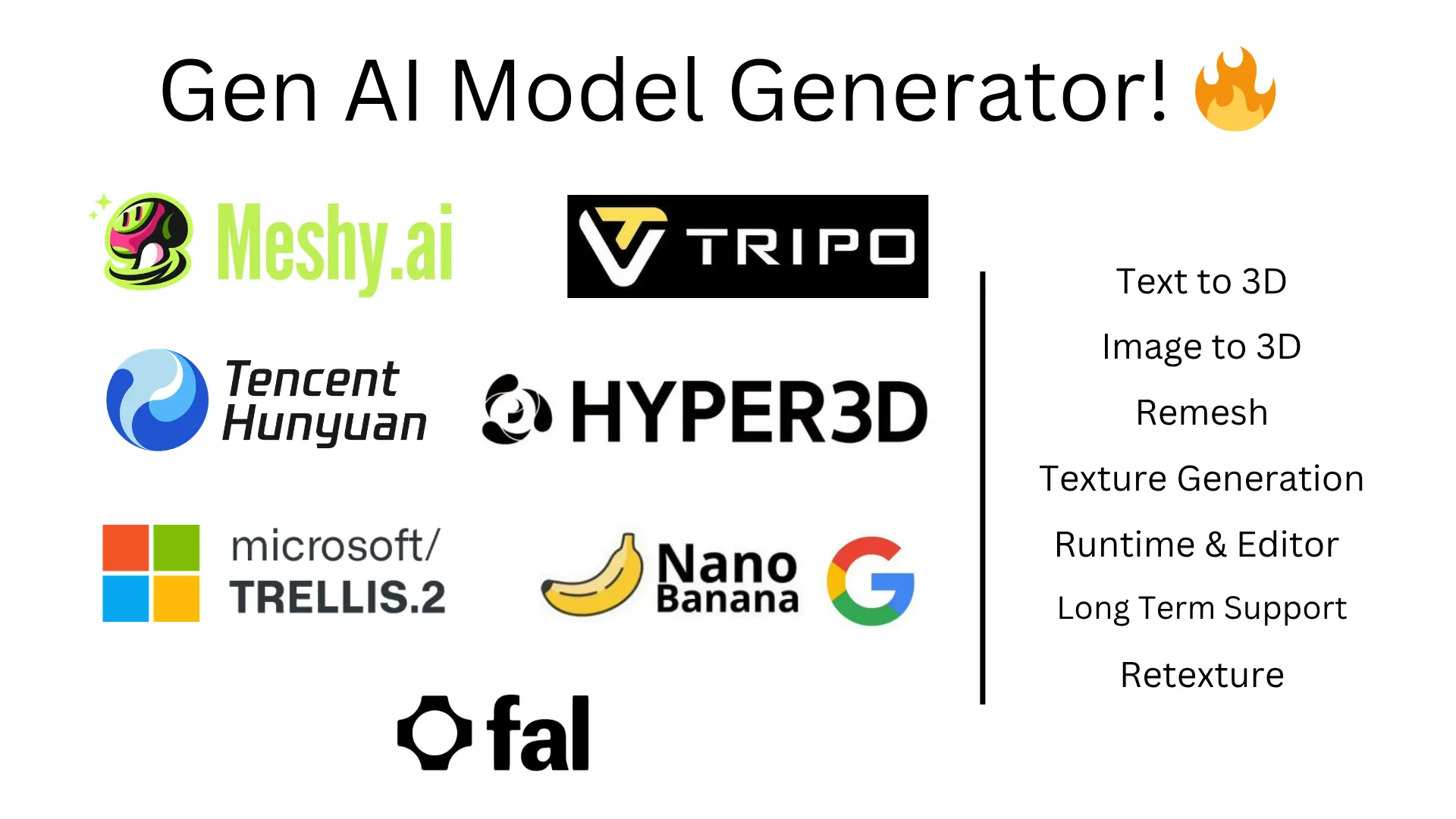
GenAI Model Generator |
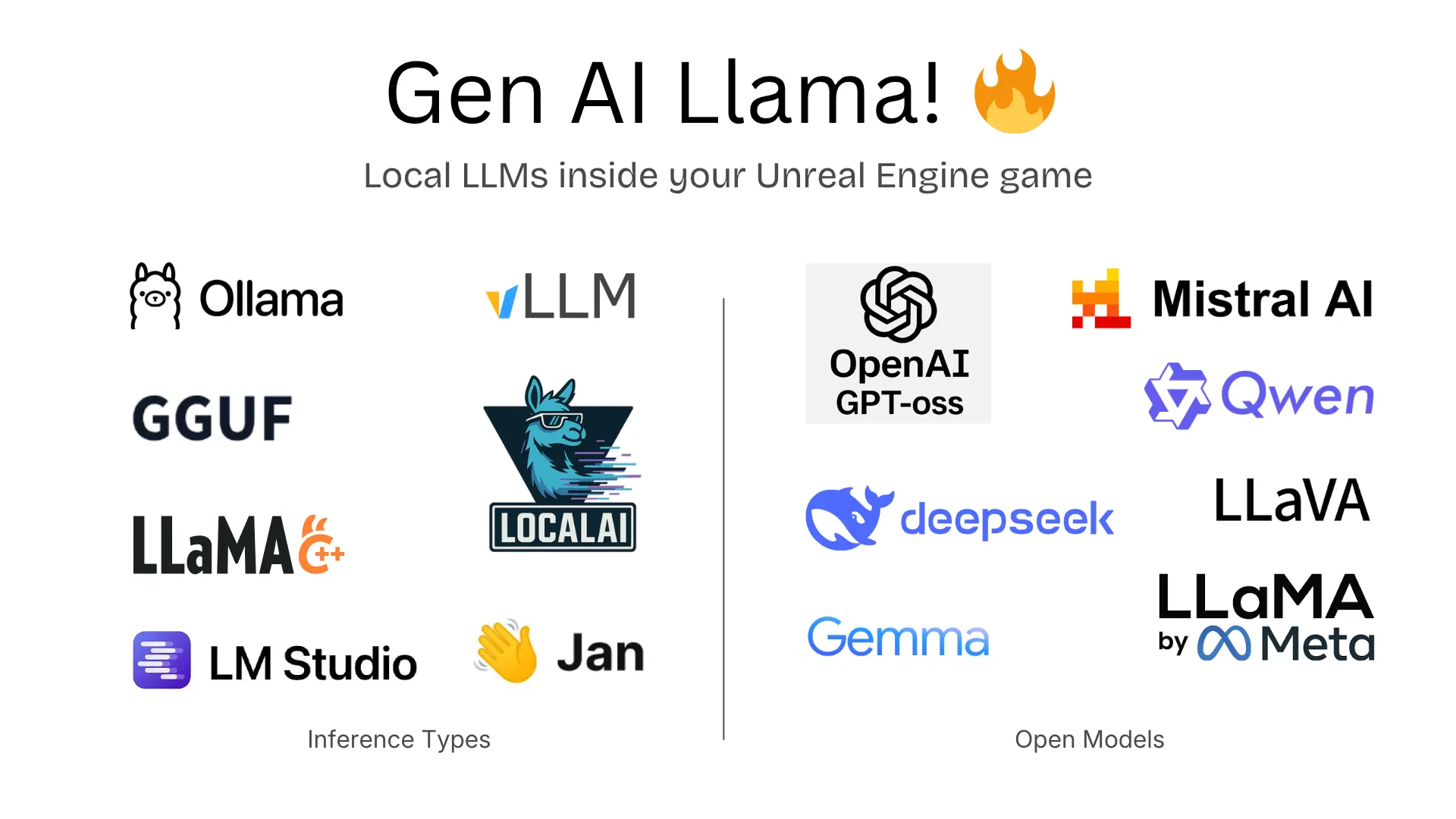
Gen AI Llama |
Free Plugin (This Repo) - LLM/GenAI API Support:
- OpenAI: Chat (
gpt-4.1,gpt-4.1-mini,o4-mini,o3,o3-pro), Structured Outputs - Anthropic Claude: Chat (
claude-4-latest,claude-3-7-sonnet,claude-3-5-sonnet,claude-3-5-haiku) - XAI Grok: Chat (
grok-3-latest,grok-3-mini-beta) - DeepSeek: Chat (
deepseek-chatV3.1), Reasoning (deepseek-reasoning-r1) - Local AI: unreal-ollama (MIT) -
gpt-oss,qwen3-vland more
Full Model List (200+ models across all plugins)
Gen AI Pro
- OpenAI:
gpt-5.4,gpt-5.4-pro,gpt-5.3-codex,gpt-5.2,gpt-5.1,gpt-5,gpt-5-mini,gpt-5-nano,gpt-4.1,o4-mini,o3,o3-pro| Responses API, Vision, Realtime (gpt-realtime), Image Gen (gpt-image-1.5,dall-e-3), TTS (gpt-4o-mini-tts,whisper-1), Streaming, Function Calling, Multimodal - Anthropic:
claude-opus-4-6,claude-sonnet-4-6,claude-4.5-opus,claude-4.5-sonnet,claude-4.5-haiku| Extended Thinking, Vision, Tool Use - Google Gemini:
gemini-3.1-pro,gemini-3.1-flash-lite,gemini-2.5-pro,gemini-2.5-flash| Imagen (imagen-4.0-generate,imagen-4.0-ultra), Realtime, TTS, Multimodal - XAI Grok:
grok-4.1,grok-4,grok-4-eu,grok-code-fast-1,grok-3| Vision, Streaming, Reasoning - ElevenLabs: TTS (
eleven_v3,eleven_turbo_v2_5), Transcription (scribe_v2), Sound Effects (eleven_text_to_sound_v2) - Inworld AI: TTS (
inworld-tts-1.5-max,inworld-tts-1.5-mini) - OpenAI Compatible Mode: Alibaba Qwen, Mistral, Groq, OpenRouter, Meta Llama, GLM-4, Ollama
Gen AI Pro China
- Alibaba Qwen:
qwen3.5-plus,qwen3.5-flash,qwen3-max,qwen3-coder-plus| Multimodal (qwen-omni-turbo,qwen-vl-max), Image Gen (qwen-image,wan2.2-t2i-plus), TTS (qwen3-tts-flash) - Moonshot/Kimi:
kimi-k2.5,kimi-k2-thinking,kimi-k2-thinking-turbo| Multimodal (kimi-latest) - ByteDance:
seed-2-0-mini,seed-1-8,skylark-pro-250415| Vision (skylark-vision), Image Gen (seedream-4-0-250828) - ZhipuAI:
glm-5,glm-4.7,glm-4.7-flash| Multimodal (glm-4.6v) - Baidu:
ernie-5.0-8k,ernie-4.5-8k,ernie-x1-32k
GenAI Model Generator (3D)
- Meshy AI:
meshy-6- Text-to-3D, Image-to-3D, Retexture, Auto-Rigging - Tripo AI:
tripo-v2.5- Text-to-3D, Image-to-3D - Hunyuan3D (Tencent):
hunyuan3d-v3.1-proText-to-3D,hunyuan3d-v2.1Image-to-3D - TripoSR: Image-to-3D (fast, <1s)
- Rodin (Hyper3D):
rodin-gen-2- Text/Image-to-3D with PBR materials - Trellis 2 (Microsoft): Image-to-3D with PBR materials
- Google Gemini:
gemini-3.1-flash- PBR texture generation
Additional Features:
- Plugin Example Project here
- Version Control: Git Submodule Support, Perforce (in progress)
- Lightweight: No External Dependencies, Exclude MCP from build
- Testing across platforms and engine versions (available in pro plugins)
Unreal MCP (Model Control Protocol):
Other MCP options: Epic Games is working on an official Unreal MCP integration for UE 5.8+. There's also UnrealClaude (MIT) by Natfii - a standalone Unreal MCP implementation worth checking out. This plugin's MCP support targets UE 5.4-5.7+ and works alongside Claude Desktop, Claude Code, and Cursor. Note: MCP in this free plugin is not being actively developed - the features listed below reflect the current state.
MCP Feature Status (✅ = Done, 🛠️ = In Progress, 🚧 = Planned)
- Clients Support ✅
- Claude Desktop App Support ✅
- Claude Code CLI Support ✅
- Cursor IDE Support ✅
- OpenAI Operator API Support 🚧
- Blueprints Auto Generation 🛠️
- Creating new blueprint of types ✅
- Adding new functions, function/blueprint variables ✅
- Adding nodes and connections 🛠️ (buggy, issues open)
- Advanced Blueprints Generation 🛠️
- Level/Scene Control for LLMs 🛠️
- Spawning Objects and Shapes ✅
- Moving, rotating and scaling objects ✅
- Changing materials and color ✅
- Advanced scene features 🛠️
- Generative AI:
- Prompt to 3D model fetch and spawn 🛠️
- Control:
- Ability to run Python scripts ✅
- Ability to run Console Commands ✅
- UI:
- Widgets generation 🛠️
- UI Blueprint generation 🛠️
- Project Files:
- Create/Edit project files/folders ️✅
- Delete existing project files ❌
- Others:
- Project Cleanup 🛠️
Table of Contents
- Setting API Keys
- Setting up MCP
- Adding the plugin to your project
- Fetching the Latest Plugin Changes
- Usage
- Known Issues
- Contribution Guidelines
- References
Setting API Keys:
[!NOTE]
There is no need to set the API key for testing the MCP features in Claude app. Anthropic key only needed for Claude API.
For Editor:
Set the environment variable PS_<ORGNAME> to your API key.
For Windows:
setx PS_<ORGNAME> "your api key"
For Linux/MacOS:
-
Run the following command in your terminal, replacing yourkey with your API key.
echo "export PS_<ORGNAME>='yourkey'" >> ~/.zshrc -
Update the shell with the new variable:
source ~/.zshrc
PS: Don't forget to restart the Editor and ALSO the connected IDE after setting the environment variable.
Where <ORGNAME> can be:
PS_OPENAIAPIKEY, PS_DEEPSEEKAPIKEY, PS_ANTHROPICAPIKEY, PS_METAAPIKEY, PS_GOOGLEAPIKEY etc.
For Packaged Builds:
Storing API keys in packaged builds is a security risk. This is what the OpenAI API documentation says about it:
"Exposing your OpenAI API key in client-side environments like browsers or mobile apps allows malicious users to take that key and make requests on your behalf – which may lead to unexpected charges or compromise of certain account data. Requests should always be routed through your own backend server where you can keep your API key secure."
Read more about it here.
For test builds you can call the GenSecureKey::SetGenAIApiKeyRuntime either in c++ or blueprints function with your API key in the packaged build.
Setting up MCP:
[!NOTE]
If your project only uses the LLM APIs and not the MCP, you can skip this section.
[!CAUTION]
Discalimer: If you are using the MCP feature of the plugin, it will directly let the Claude Desktop App control your Unreal Engine project. Make sure you are aware of the security risks and only use it in a controlled environment.Please backup your project before using the MCP feature and use version control to track changes.
1. Install any one of the below clients:
2. Setup the mcp config json:
For Claude Desktop App:
claude_desktop_config.json file in Claude Desktop App's installation directory. (might ask claude where its located for your platform!)
The file will look something like this:
{
    "mcpServers": {
      "unreal-handshake": {
        "command": "python",
        "args": ["<your_project_directoy_path>/Plugins/GenerativeAISupport/Content/Python/mcp_server.py"],
        "env": {
          "UNREAL_HOST": "localhost",
          "UNREAL_PORT": "9877"
        }
      }
    }
}
For Claude Code CLI:
.mcp.json file in your project root directory. The file will look something like this:
{
    "mcpServers": {
      "unreal-handshake": {
        "type": "stdio",
        "command": "python",
        "args": ["<your_project_directoy_path>/Plugins/GenerativeAISupport/Content/Python/mcp_server.py"],
        "env": {
          "UNREAL_HOST": "localhost",
          "UNREAL_PORT": "9877"
        }
      }
    }
}
For Cursor IDE:
.cursor/mcp.json file in your project directory. The file will look something like this:
{
    "mcpServers": {
      "unreal-handshake": {
        "command": "python",
        "args": ["<your_project_directoy_path>/Plugins/GenerativeAISupport/Content/Python/mcp_server.py"],
        "env": {
          "UNREAL_HOST": "localhost",
          "UNREAL_PORT": "9877"
        }
      }
    }
}
3. Install FastMCP.
pip install fastmcp
4. Enable python plugin in Unreal Engine. (Edit -> Plugins -> Python Editor Script Plugin)
5. [OPTIONAL] Enable AutoStart MCP server on editor open

Adding the plugin to your project:
With Git:
-
Add the Plugin Repository as a Submodule in your project's repository.
git submodule add https://github.com/prajwalshettydev/UnrealGenAISupport Plugins/GenerativeAISupport -
Regenerate Project Files: Right-click your .uproject file and select Generate Visual Studio project files.
-
Enable the Plugin in Unreal Editor: Open your project in Unreal Editor. Go to Edit > Plugins. Search for the Plugin in the list and enable it.
-
For Unreal C++ Projects, include the Plugin's module in your project's Build.cs file:
PrivateDependencyModuleNames.AddRange(new string[] { "GenerativeAISupport" });
With Perforce:
Still in development..
With Fab (Unreal Marketplace):
This free plugin is available via Git (above). For the pro plugins, check Fab.com.
Fetching the Latest Plugin Changes:
With Git:
you can pull the latest changes with:
cd Plugins/GenerativeAISupport
git pull origin main
Or update all submodules in the project:
git submodule update --recursive --remote
With Perforce:
Still in development..
Usage:
There is a example Unreal project that already implements the plugin. You can find it here.
OpenAI:
Currently the plugin supports Chat and Structured Outputs from OpenAI API. Both for C++ and Blueprints.
Tested models: gpt-4.1, gpt-4.1-mini, gpt-4.1-nano, o4-mini, o3, o3-pro, o3-mini.
1. Chat:
C++ Example:
    void SomeDebugSubsystem::CallGPT(const FString& Prompt,
        const TFunction<void(const FString&, const FString&, bool)>& Callback)
    {
        FGenChatSettings ChatSettings;
        ChatSettings.Model = TEXT("gpt-4o-mini");
        ChatSettings.MaxTokens = 500;
        ChatSettings.Messages.Add(FGenChatMessage{ TEXT("system"), Prompt });

        FOnChatCompletionResponse OnComplete = FOnChatCompletionResponse::CreateLambda(
            [Callback](const FString& Response, const FString& ErrorMessage, bool bSuccess)
        {
            Callback(Response, ErrorMessage, bSuccess);
        });

        UGenOAIChat::SendChatRequest(ChatSettings, OnComplete);
    }
Blueprint Example:

2. Structured Outputs:
C++ Example 1:
Sending a custom schema json directly to function call
FString MySchemaJson = R"({
"type": "object",
"properties": {
    "count": {
        "type": "integer",
        "description": "The total number of users."
    },
    "users": {
        "type": "array",
        "items": {
            "type": "object",
            "properties": {
                "name": { "type": "string", "description": "The user's name." },
                "heading_to": { "type": "string", "description": "The user's destination." }
            },
            "required": ["name", "role", "age", "heading_to"]
        }
    }
},
"required": ["count", "users"]
})";

UGenAISchemaService::RequestStructuredOutput(
    TEXT("Generate a list of users and their details"),
    MySchemaJson,
    [](const FString& Response, const FString& Error, bool Success) {
       if (Success)
       {
           UE_LOG(LogTemp, Log, TEXT("Structured Output: %s"), *Response);
       }
       else
       {
           UE_LOG(LogTemp, Error, TEXT("Error: %s"), *Error);
       }
    }
);
C++ Example 2:
Sending a custom schema json from a file
#include "Misc/FileHelper.h"
#include "Misc/Paths.h"
FString SchemaFilePath = FPaths::Combine(
    FPaths::ProjectDir(),
    TEXT("Source/:ProjectName/Public/AIPrompts/SomeSchema.json")
);

FString MySchemaJson;
if (FFileHelper::LoadFileToString(MySchemaJson, *SchemaFilePath))
{
    UGenAISchemaService::RequestStructuredOutput(
        TEXT("Generate a list of users and their details"),
        MySchemaJson,
        [](const FString& Response, const FString& Error, bool Success) {
           if (Success)
           {
               UE_LOG(LogTemp, Log, TEXT("Structured Output: %s"), *Response);
           }
           else
           {
               UE_LOG(LogTemp, Error, TEXT("Error: %s"), *Error);
           }
        }
    );
}
Blueprint Example:

DeepSeek API:
Currently the plugin supports Chat and Reasoning from DeepSeek API. Both for C++ and Blueprints. Points to note:
- System messages are currently mandatory for the reasoning model. API otherwise seems to return null
- Also, from the documentation: "Please note that if the reasoning_content field is included in the sequence of input messages, the API will return a 400 error. Read more about it here"
[!WARNING]
While using the R1 reasoning model, make sure the Unreal's HTTP timeouts are not the default values at 30 seconds. As these API calls can take longer than 30 seconds to respond. Simply setting theHttpRequest->SetTimeout(<N Seconds>);is not enough So the following lines need to be added to your project'sDefaultEngine.inifile:[HTTP] HttpConnectionTimeout=180 HttpReceiveTimeout=180
1. Chat and Reasoning:
C++ Example:
 FGenDSeekChatSettings ReasoningSettings;
 ReasoningSettings.Model = EDeepSeekModels::Reasoner; // or EDeepSeekModels::Chat for Chat API
 ReasoningSettings.MaxTokens = 100;
 ReasoningSettings.Messages.Add(FGenChatMessage{TEXT("system"), TEXT("You are a helpful assistant.")});
 ReasoningSettings.Messages.Add(FGenChatMessage{TEXT("user"), TEXT("9.11 and 9.8, which is greater?")});
 ReasoningSettings.bStreamResponse = false;
 UGenDSeekChat::SendChatRequest(
     ReasoningSettings,
     FOnDSeekChatCompletionResponse::CreateLambda(
         [this](const FString& Response, const FString& ErrorMessage, bool bSuccess)
         {
             if (!UTHelper::IsContextStillValid(this))
             {
                 return;
             }

             // Log response details regardless of success
             UE_LOG(LogTemp, Warning, TEXT("DeepSeek Reasoning Response Received - Success: %d"), bSuccess);
             UE_LOG(LogTemp, Warning, TEXT("Response: %s"), *Response);
             if (!ErrorMessage.IsEmpty())
             {
                 UE_LOG(LogTemp, Error, TEXT("Error Message: %s"), *ErrorMessage);
             }
         })
 );
Blueprint Example:

Anthropic API:
Currently the plugin supports Chat from Anthropic API. Both for C++ and Blueprints.
Tested models: claude-4-latest, claude-3-7-sonnet-latest, claude-3-5-sonnet, claude-3-5-haiku-latest.
1. Chat:
C++ Example:
    // ---- Claude Chat Test ----
    FGenClaudeChatSettings ChatSettings;
    ChatSettings.Model = EClaudeModels::Claude_3_7_Sonnet; // Use Claude 3.7 Sonnet model
    ChatSettings.MaxTokens = 4096;
    ChatSettings.Temperature = 0.7f;
    ChatSettings.Messages.Add(FGenChatMessage{TEXT("system"), TEXT("You are a helpful assistant.")});
    ChatSettings.Messages.Add(FGenChatMessage{TEXT("user"), TEXT("What is the capital of France?")});

    UGenClaudeChat::SendChatRequest(
        ChatSettings,
        FOnClaudeChatCompletionResponse::CreateLambda(
            [this](const FString& Response, const FString& ErrorMessage, bool bSuccess)
            {
                if (!UTHelper::IsContextStillValid(this))
                {
                    return;
                }

                if (bSuccess)
                {
                    UE_LOG(LogTemp, Warning, TEXT("Claude Chat Response: %s"), *Response);
                }
                else
                {
                    UE_LOG(LogTemp, Error, TEXT("Claude Chat Error: %s"), *ErrorMessage);
                }
            })
    );
Blueprint Example:

XAI's Grok 3 API:
Currently the plugin supports Chat from XAI's Grok 3 API. Both for C++ and Blueprints.
1. Chat:
	FGenXAIChatSettings ChatSettings;
	ChatSettings.Model = TEXT("grok-3-latest");
		ChatSettings.Messages.Add(FGenXAIMessage{
		TEXT("system"),
		TEXT("You are a helpful AI assistant for a game. Please provide concise responses.")
	});
	ChatSettings.Messages.Add(FGenXAIMessage{TEXT("user"), TEXT("Create a brief description for a forest level in a fantasy game")});
	ChatSettings.MaxTokens = 1000;

	UGenXAIChat::SendChatRequest(
		ChatSettings,
		FOnXAIChatCompletionResponse::CreateLambda(
			[this](const FString& Response, const FString& ErrorMessage, bool bSuccess)
			{
				if (!UTHelper::IsContextStillValid(this))
				{
					return;
				}

				UE_LOG(LogTemp, Warning, TEXT("XAI Chat response: %s"), *Response);

				if (!bSuccess)
				{
					UE_LOG(LogTemp, Error, TEXT("XAI Chat error: %s"), *ErrorMessage);
				}
			})
	);
Model Control Protocol (MCP):
This is currently work in progress. The plugin supports various clients like Claude Desktop App, Cursor etc.
Usage:
If Autostart MCP server is enabled: (In plugin's settings)
1. Open the Unreal Engine Editor.
2. Open the Claude Desktop App, Claude Code CLI, or Cursor IDE.
That's it! You can now use the MCP features of the plugin.
If Autostart MCP server is disabled:
1. Run the MCP server from the plugin's python directory.
python <your_project_directoy>/Plugins/GenerativeAISupport/Content/Python/mcp_server.py
2. Run the MCP client by opening or restarting the Claude desktop app or Cursor IDE.
3. Open a new Unreal Engine project and run the below python script from the plugin's python directory.
Tools -> Run Python Script -> Select the
Plugins/GenerativeAISupport/Content/Python/unreal_socket_server.pyfile.
4. Now you should be able to prompt the Claude Desktop App to use Unreal Engine.
Known Issues:
- Nodes fail to connect properly with MCP
- No undo redo support for MCP
- No streaming support for Deepseek reasoning model
- No complex material generation support for the create material tool
- Issues with running some llm generated valid python scripts
- When LLM compiles a blueprint no proper error handling in its response
- Issues spawning certain nodes, especially with getters and setters
- Doesn't open the right context window during scene and project files edit.
- Doesn't dock the window properly in the editor for blueprints.
Contribution Guidelines:
Setting up for Development:
- Install
unrealpython package and setup the IDE's python interpreter for proper intellisense.
pip install unreal
More details will be added soon.
Project Structure:
More details will be added soon.
References:
- Env Var set logic from: OpenAI-Api-Unreal by KellanM
- MCP Server inspiration from: Blender-MCP by ahujasid
Quick Links:
- OpenAI API Documentation
- Anthropic API Documentation
- XAI API Documentation
- Google Gemini API Documentation
- Meta AI API Documentation
- Deepseek API Documentation
- Model Control Protocol (MCP) Documentation
- TripoSt Documentation
Support This Project
If you find UnrealGenAISupport helpful, consider sponsoring me to keep the project going! Click the "Sponsor" button above to contribute.
Featured
Fastest browser for AI agents to run web automation tasks, always free.
Download Free life-time →Notes, actions and memory. Without a meeting bot. First month 100% off.
Download for free →belt cli automatically finds the best tools and skills for your agent. image, video, music, tts...
one prompt install →Connect your Claude agent to live crypto prices and trading routes via 1inch
Get the MCP →Block distracting apps from your iPhone permanently without a 3rd party app. Free and open source.
Block now (100% free) →UpdatedDec 15, 2025