
Summary
Generates images inside Claude Code by routing through your existing ChatGPT Plus or Pro subscription, so you're not paying twice or juggling API keys. Handles text-to-image, reference-based edits, and multi-image composition via the local Codex CLI. The implementation is clever: it snapshots your Codex sessions directory, fires `codex exec` with the image_generation flag enabled, diffs the output, and extracts the base64 PNG from the new rollout file. Works well for infographics and text-heavy layouts, but you need Codex installed and logged in or it's a non-starter. If you already have the ChatGPT subscription and want image generation without leaving your editor, this is the straightforward path.
Install to Claude Code
npx -y skills add agentspace-so/agent-skills --skill gpt-image-2 --agent claude-codeInstalls into .claude/skills of the current project.


Keeps your Mac awake while Claude Code, Codex or Cursor works. Lets it sleep when they are done.
Try free for 7 days →

Connect your Claude agent to live crypto prices and trading routes via 1inch
Get the MCP →

Block distracting apps from your iPhone permanently without a 3rd party app. Free and open source.
Block now (100% free) →


belt cli automatically finds the best tools and skills for your agent. image, video, music, tts...
one prompt install →
Free an open-source skills that make AI coding agents easier to understand, verify, and control.
Download for free →Files
SKILL.mdView on GitHub
🪞 GPT Image 2 — Image Generation via Your ChatGPT Subscription
Generate images with GPT Image 2 (ChatGPT Images 2.0) inside your agent, using your existing ChatGPT Plus or Pro subscription — no separate OpenAI access, no Fal or Replicate tokens, no per-image billing.
Text-to-image, image-to-image editing, style transfer, and multi-reference composition. Runs entirely through the local codex CLI you're already logged into.
Heads up — this skill requires a ChatGPT Plus or Pro subscription plus the Codex CLI installed locally. If you have neither, you can use GPT Image 2 in the browser via RunComfy instead — hosted, no ChatGPT subscription or local install needed (RunComfy account required):
- Text-to-image: runcomfy.com/models/openai/gpt-image-2/text-to-image
- Image edit (i2i): runcomfy.com/models/openai/gpt-image-2/edit
The rest of this document covers the local Codex CLI flow for agents whose user has a ChatGPT subscription.
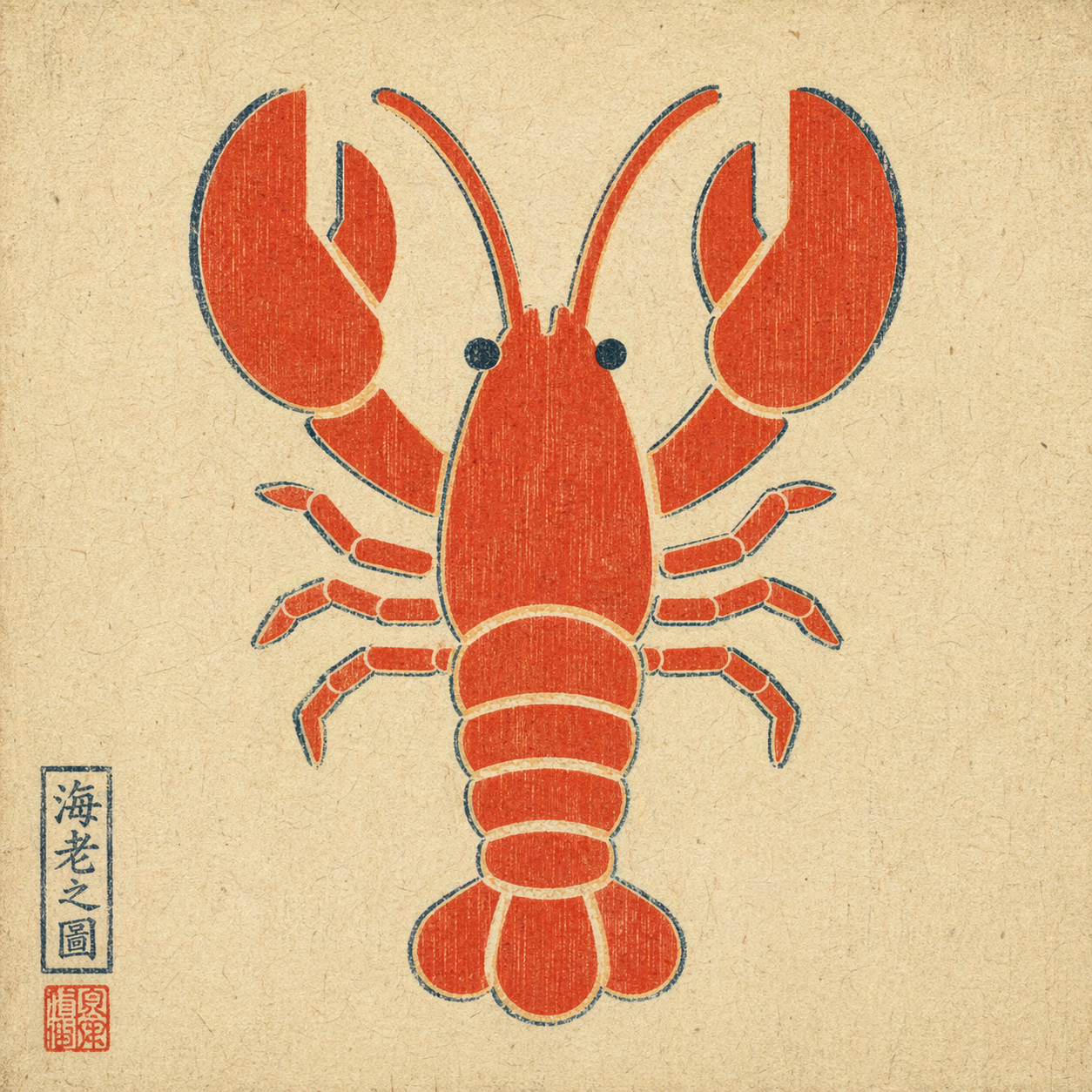
Example output: a plain flat-color icon repainted via --ref in ukiyo-e style — composition preserved, rendering swapped, period-appropriate red seal added by the model unprompted.
When to trigger
Trigger when the user explicitly asks for GPT Image 2 via their ChatGPT subscription, for example:
- "use GPT Image 2" / "use gpt-image-2" / "use ChatGPT Images 2.0"
- "use Image 2" / "image 2 this"
- attached a reference image and asked to remix / edit / restyle it
Do not auto-trigger for a plain "generate an image" request if the user didn't specify this route. If they did specify it, do not silently fall back to HTML mockups, screenshots, or a different image model.
How to invoke
A single bash script handles everything: runs codex exec with the right flags, then decodes the generated image from the persisted session rollout.
Text-to-image:
bash scripts/gen.sh \
  --prompt "<user's raw prompt>" \
  --out <absolute/path/to/output.png>
Image-to-image (reference flag is repeatable for multi-reference composition):
bash scripts/gen.sh \
  --prompt "<user's raw prompt, e.g. 'repaint in watercolor'>" \
  --ref /absolute/path/to/reference.png \
  --out <absolute/path/to/output.png>
Optional: --timeout-sec 300 (default 300).
Default behavior
- Pass the user's prompt through raw. Do not translate, polish, or add style modifiers unless the user asked for it.
- Choose the output path. Default to
./image-<YYYYMMDD-HHMMSS>.pngin the current working directory if the user didn't specify. - Deliver the image. After the script succeeds, display / attach the output file. Do not stop at "done, see path X".
- Text-heavy layouts are fine. Image 2 handles infographics and timeline prompts well. Do not preemptively warn just because a prompt has a lot of text.
Hard constraints
- Do not switch routes without permission. If the user said "use GPT Image 2", do not substitute DALL·E, Midjourney, an HTML mockup, or a manual screenshot workflow.
- Do not rewrite the prompt unless asked.
- Do not imply this skill works without a local
codexlogin and a valid ChatGPT subscription with image-generation entitlement.
Prerequisites
codexCLI installed —brew install codexor see openai/codex.- Logged in with a ChatGPT plan that includes Image 2 —
codex login. python3on PATH (ships with macOS;apt install python3on Linux).
This skill does not grant image-generation capability on its own. It exposes the capability the user already has through their ChatGPT subscription.
Exit codes
| code | meaning |
|---|---|
| 0 | success — output path printed on stdout |
| 2 | bad args |
| 3 | codex or python3 CLI missing |
| 4 | --ref file does not exist |
| 5 | codex exec failed (auth? network? model?) |
| 6 | no new session file detected |
| 7 | imagegen did not produce an image payload (feature not enabled, quota, or capability refused) |
On failure, name the layer in one sentence instead of dumping the full stderr at the user.
How it works
The codex CLI reuses the logged-in ChatGPT session and exposes an imagegen tool (gated behind the image_generation feature flag). The script:
- snapshots
~/.codex/sessions/before the run - runs
codex exec --enable image_generation --sandbox read-only ...(with-i <file>for each reference image) - diffs the sessions directory, then invokes
scripts/extract_image.pyto scan every new rollout JSONL for a base64 image payload (PNG / JPEG / WebP magic-header match) - decodes the largest matching blob and writes it to
--out
Two non-obvious flags other wrappers get wrong on codex-cli 0.111.0+:
--enable image_generationis required; the feature is still under-development and off by default.--ephemeralmust not be used — ephemeral sessions aren't persisted, so the image payload has nowhere to live.
Data handling
The script is narrowly scoped on purpose:
- It reads only session rollout files created by its own
codex execinvocation. The sessions directory is snapshotted before the call and diffed after, so any prior~/.codex/sessions/*files (which may contain unrelated Codex conversations) are never touched, read, or transmitted. - It writes only two kinds of file: the output PNG at the caller's
--outpath, and short-livedmktemplogs that are auto-deleted on exit via a trap. - No environment variables are read. No credentials are requested. No other paths under
~/.codex/are accessed. - No network calls leave this skill. The only outbound traffic is the one made by the
codexCLI itself (to OpenAI, using the user's existing ChatGPT login) — this skill does not add endpoints, telemetry, or callbacks.
What this skill is not
Not a direct OpenAI API client. Not a capability grant — it depends on the user's working Codex CLI login. Not a multi-tenant service (one call per invocation; concurrent calls are serialized by the filesystem-snapshot diff).
Featured
Keeps your Mac awake while Claude Code, Codex or Cursor works. Lets it sleep when they are done.
Try free for 7 days →Connect your Claude agent to live crypto prices and trading routes via 1inch
Get the MCP →Block distracting apps from your iPhone permanently without a 3rd party app. Free and open source.
Block now (100% free) →belt cli automatically finds the best tools and skills for your agent. image, video, music, tts...
one prompt install →Free an open-source skills that make AI coding agents easier to understand, verify, and control.
Download for free →Categories
First SeenMay 16, 2026


